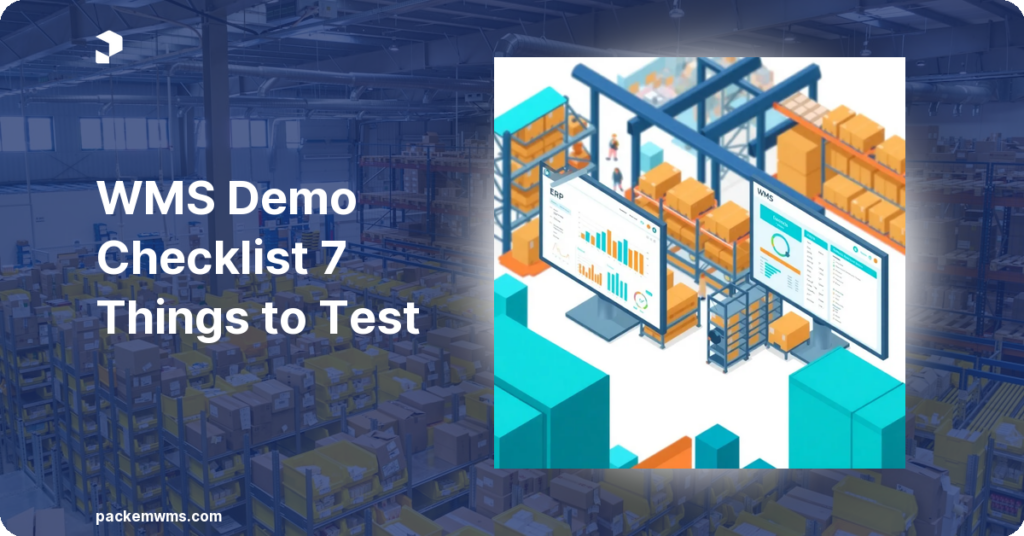
WMS Demo Checklist: 7 Things to Test Before You Buy
A WMS demo checklist is a structured set of scenarios and questions that helps warehouse operators evaluate warehouse management software beyond the polished sales demonstration — testing real-world workflows, edge cases, and operational specifics before committing to a contract. The difference between a vendor who can demo well and a vendor whose software actually works in your warehouse is what this checklist is designed to reveal.
Last Updated: April 2, 2026
Most WMS demos are rehearsed. The vendor shows you the three flows that look cleanest: receiving a standard pallet, picking a simple order, generating a basic report. Everything works perfectly. Then you go live, and you discover that your multi-client billing setup does not work as expected, your Zebra scanners need a configuration you were never told about, and implementation took 12 weeks instead of 4.
The solution is a structured demo checklist that forces the vendor off script. Here are the 7 things every warehouse operator should test before buying a WMS.
1. Test Your Actual Receiving Workflow
Standard demos show receiving a clean pallet against a known PO. That is not your operation.
What to test:
– Receive a partial PO. How does the system handle the discrepancy?
– Receive a blind shipment with no advance PO.
– Receive a lot-tracked item. Verify lot number and expiration date captured at scan time.
– Receive damaged inventory. Where does it go? How is it flagged?
2. Test Multi-Client Billing Configuration
For 3PLs, billing is the make-or-break feature. This is where most WMS failures happen.
What to test:
– Create two clients with different rate cards. Verify billing report shows different amounts.
– Add a one-time ad-hoc fee. Verify it appears on the next invoice.
– Run the billing report for a date range. Verify every billable transaction is captured.
According to industry data, 3PLs lose an average of 3-7 percent of revenue to unbilled transactions annually. PackemWMS captures every transaction at the point of occurrence. See the billing features in your demo.
3. Test Mobile Scanning on Your Hardware
The vendor demos on their tablet. Your warehouse runs Zebra TC52s or Android handhelds.
What to test:
– Ask to test the WMS on your specific device model before signing.
– Test scanning speed. Anything over 1.5 seconds per scan will frustrate your team.
– Test what happens when WiFi drops in a dead zone.
– Test the scan-to-put-away workflow. How many screens does it take?
PackemWMS runs natively on Android devices including Zebra scanners.
4. Test Order Pick, Pack, and Ship End-to-End
A pick demo that stops at items picked is incomplete.
What to test:
– Pick a batch of 5 orders simultaneously. Verify the system groups picks by location.
– Pack each order with a different carton size.
– Generate shipping labels for UPS, FedEx, and USPS.
– Confirm an order shipped and verify inventory updates in real time.
5. Test Your Specific Integration
Every WMS claims to integrate with Shopify. What that means varies dramatically.
What to test:
– Import a test order from your actual ecommerce platform. Verify all fields import correctly.
– Fulfill the order and verify tracking number pushes back to the platform automatically.
– Test a cancellation mid-pick. How does the WMS handle it?
– If you use QuickBooks, verify QuickBooks sync works for invoices and inventory.
Ask for a live integration test, not a slide deck.
6. Test Reporting and Inventory Accuracy
The reports in a demo are always clean. Test with messy data.
What to test:
– Run an inventory on-hand report and verify it matches physical counts from the demo session.
– Run a lot trace report for a specific lot number. See every movement from receiving through shipment.
– Run a client-specific billing summary. Is the format exportable?
– Ask how long historical reports are retained.
According to a 2024 warehouse technology survey by Modern Materials Handling, 68 percent of warehouse managers cite inaccurate inventory data as their top operational challenge.
7. Test Implementation Timeline and Onboarding Process
The demo environment is always ready. Your warehouse is not.
What to ask:
– Request a reference call with a client who went live in the last 6 months.
– Ask specifically: What is your go-live checklist? What does week 1 look like after we sign?
– Ask about data migration: how are existing SKUs imported?
– Ask about training: who trains your team?
PackemWMS typical implementation runs 2 to 5 weeks. Talk to our team about your specific setup.
WMS Vendor Comparison Matrix
| Test Category | Weight | Vendor A | Vendor B | PackemWMS |
|---|---|---|---|---|
| Receiving edge cases | High | |||
| Multi-client billing | Critical | |||
| Mobile/scanner performance | High | |||
| Order fulfillment end-to-end | High | |||
| Integration accuracy | Critical | |||
| Reporting quality | Medium | |||
| Implementation realism | High |
Score each 1-5. Weight critical categories double. Any vendor who cannot demonstrate live scores a 1.
Frequently Asked Questions
What should a WMS demo include?
A complete WMS demo for a 3PL should include receiving workflows (including partial POs and lot-tracked items), multi-client billing configuration, mobile scanning on real hardware, order fulfillment end-to-end, live integration testing, reporting walkthrough, and an honest implementation timeline discussion.
How long should a WMS demo take?
A thorough WMS demo for a 3PL or mid-size warehouse should take 60 to 90 minutes. Any vendor who insists on a 30-minute overview is not giving you enough time to test edge cases. Request a second session if needed.
What are red flags in a WMS demo?
Red flags include: vendor cannot deviate from a scripted flow, integration demonstrations use screenshots instead of live connections, billing configuration is shown but not tested with real rate card math, mobile scanning is only demoed on the vendor’s device, and implementation timelines seem unrealistically short.
How many WMS vendors should I demo?
Demo 3 to 5 vendors before making a decision. The first demo reveals what features exist. The second and third demos reveal what questions you should have asked the first vendor.
What questions should I ask about WMS pricing?
Ask for a total cost of ownership breakdown including: software subscription (per user, per transaction, or flat rate), implementation and data migration fees, hardware compatibility requirements, training costs, and ongoing support pricing. Ask specifically: what happens to pricing when you add a new client or increase order volume?