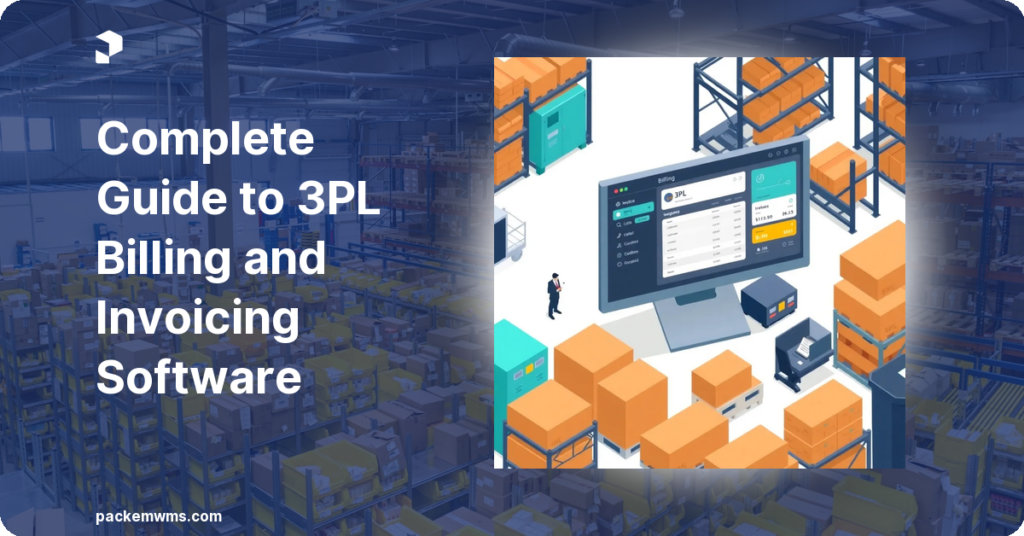
Complete Guide to 3PL Billing Software: Automate Invoicing and Get Paid Faster
3PL billing software is a dedicated invoicing and revenue management system built into a warehouse management platform. It tracks every billable warehouse transaction, storage, pick/pack, receiving, kitting, returns, and automatically generates client invoices based on per-client rate cards, eliminating the manual spreadsheet work that costs small 3PLs 10-15 hours every month.
Last Updated: March 2026
Most 3PLs start the same way: a spreadsheet for tracking client activity, a separate spreadsheet for fees, and a monthly ritual of reconciling them into invoices. It works until it doesn’t. As you add clients, add fee types, and handle more complex billing scenarios, the manual process breaks. Fees get missed. Invoices go out late. Disputes pile up. And your team spends hours each month doing data entry instead of running the warehouse.
The right 3PL billing software eliminates that entirely. It captures every warehouse transaction automatically and converts them into accurate client invoices without anyone touching a spreadsheet. This guide covers how it works, what to look for, and what happens when you automate your invoicing.
What Is 3PL Billing Software?
3PL billing software is invoicing functionality built natively into a warehouse management system. Unlike generic accounting tools or standalone invoicing apps, 3PL billing software connects directly to warehouse operations, so every scan, every movement, every storage day feeds the billing engine automatically.
According to APQC, 2024, manual invoice processing costs organizations between $12 and $30 per invoice — compared to just $1 to $5 with automated systems.
According to APQC, 2024, labor costs consume 62% of total accounts payable costs, making manual billing the single largest controllable expense in warehouse operations.
When a team member receives a pallet, the system logs a receiving fee. When a picker fulfills an order, the system logs a pick fee. When a pallet sits in storage for 30 days, the system calculates the storage fee based on that client’s rate card. No manual entry. No end-of-month reconstruction.
Generic accounting tools like QuickBooks or Xero are not built for this. They can receive invoices, but they cannot generate them from warehouse transactions. That is why 3PLs running on spreadsheets and accounting software alone leave money on the table, they can only invoice what they remember to track.
The 7 Fee Types Every 3PL Should Be Billing For
Most 3PLs undercharge because their manual billing process can only handle the fees that are easy to calculate. Purpose-built 3PL billing software captures all of them automatically.
1. Storage Fees
Charge clients for the space their inventory occupies. Storage can be billed by pallet, carton, bin location, or cubic foot. Rates often vary by storage zone (standard vs. refrigerated, floor vs. rack). A good billing engine handles all of these simultaneously.
2. Receiving Fees
Charge for the labor to receive, inspect, and put away inbound shipments. Common rate structures include per-pallet, per-carton, per-item, or per-hour. Some 3PLs charge a flat receiving rate; others charge by complexity.
3. Pick and Pack Fees
The most common 3PL fee. Charge per order, per item, or per line item. B2B and DTC orders often have different pick fee structures for the same client, your billing system needs to handle both.
4. Return Processing Fees
Returns require labor: receiving the return, inspecting the condition, restocking or quarantining, updating inventory. This should be a billable transaction, not absorbed overhead.
5. Kitting and Assembly Fees
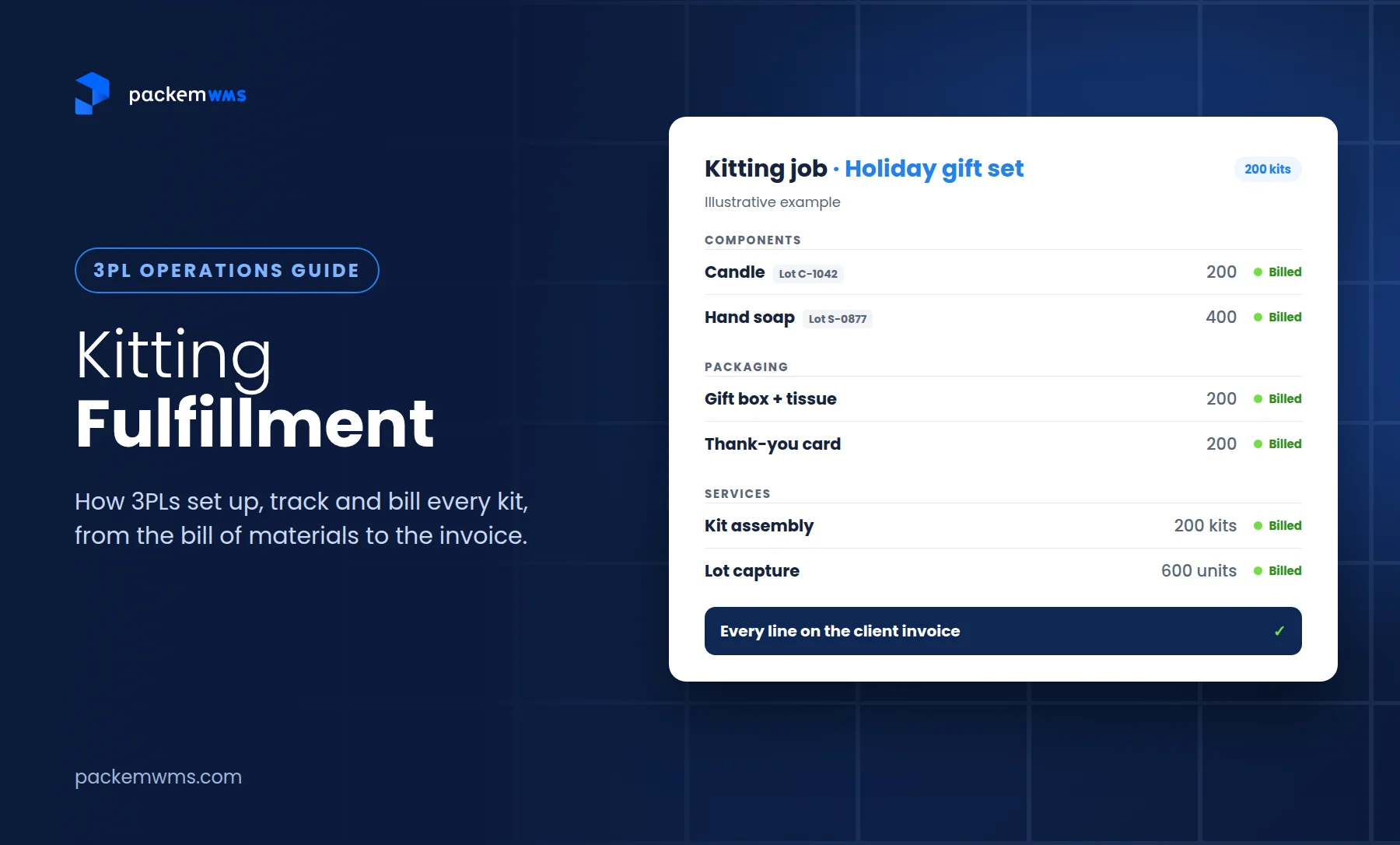
If you offer value-added services, building bundles, assembling kits, repackaging, each kit should generate a fee. Kitting fees are notoriously hard to calculate manually because the cost depends on the bill of materials and the complexity of the assembly. Here’s how to bill for kitting fulfillment without missing components, packaging or services.
6. Ad-Hoc and Special Handling Fees
One-time charges, rush handling, special packaging, labeling, or hazmat handling. These are almost always missed in manual billing because they don’t fit a standard template. A flexible billing engine allows you to create and add any custom fee.
7. Partial and Split Fees
When a client ships a partial pallet, or when a single order spans multiple clients, billing gets complex. Manual billing typically rounds or estimates. Software calculates exactly.
How Rate Cards Work in 3PL Billing Software
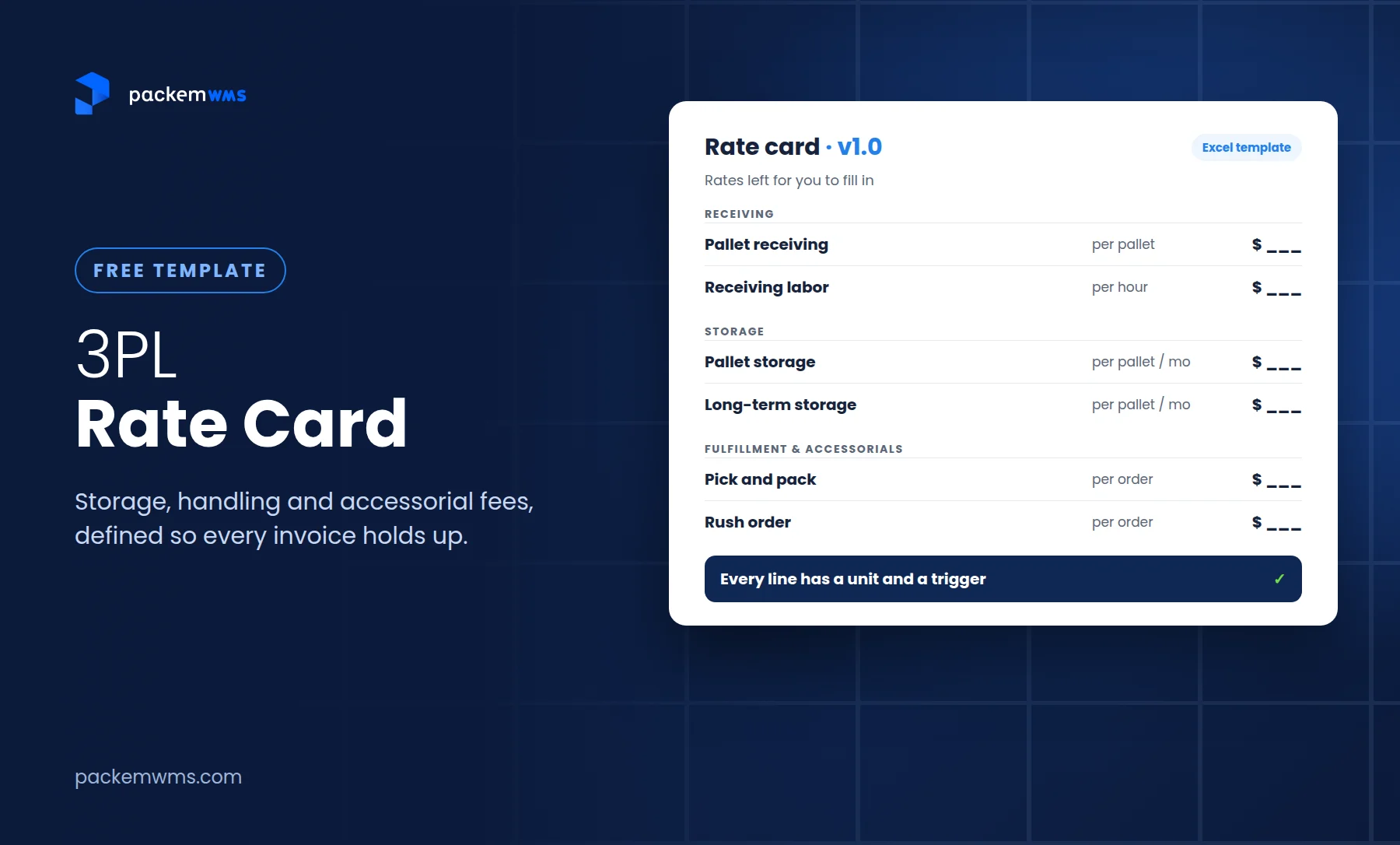
A rate card is a per-client fee schedule that defines exactly what you charge that client for each service. Every client gets their own rate card, because different clients negotiate different rates. To build one from scratch, start with our free 3PL rate card template.
In PackemWMS, you set up a rate card for each client during onboarding. The rate card maps every fee type to a specific dollar amount or formula: Client A pays $12 per pallet per month for storage; Client B has a tiered structure where pallet 1-50 costs $10/month and pallets 51+ cost $8/month. The system handles both simultaneously.
Once configured, the rate card is automatic. When a transaction occurs, the system looks up that client’s rate card, calculates the fee, and records it. At invoice time, everything is already calculated, no manual lookup, no formula in a spreadsheet.
This matters because most 3PLs serve 10 to 50 clients, each with slightly different pricing. Managing that in a spreadsheet is how billing errors happen. Rate cards eliminate the lookup step entirely.
How Automated 3PL Billing Works: Step by Step
Here is how 3PL billing automation works in PackemWMS from transaction to invoice:
Step 1, Transaction is recorded: A warehouse staff member scans an order fulfillment. The WMS records the pick, the client, the item count, and the timestamp.
Step 2, Rate card is applied: The billing engine matches the transaction to the client’s rate card and calculates the pick fee automatically. No one has to do this manually.
Step 3, Fees accumulate: Throughout the billing period, every transaction, picks, storage days, receiving events, returns, generates a fee entry linked to that client’s account.
Step 4, Invoice is generated: At your configured billing interval (weekly, twice monthly, monthly), the system compiles all fee entries for each client and generates an invoice. The invoice reflects the exact activity from the period.
Step 5, QuickBooks sync: The invoice syncs directly to QuickBooks with your chart of accounts mapping applied. No export, no import, no re-entry. Your accounting records match your billing records in real time.
The 3PL warehouse management software that does this well handles the entire cycle invisibly, your team just runs the warehouse, and billing takes care of itself.
The Hidden Costs of Manual 3PL Billing
Manual billing is not just slow. It has direct costs that compound as you scale.
According to the Institute of Finance and Management (IOFM), 61% of invoicing errors in B2B service businesses are caused by manual data entry. For 3PLs, those errors translate into specific outcomes: disputed invoices, delayed payments, and client relationships strained by repeated corrections.
Invoice disputes are expensive. Every disputed invoice requires staff time to investigate, reconcile, and reissue. That time is not billable. Meanwhile, the invoice payment clock restarts from the dispute resolution date, extending your cash collection cycle.
Missed fees are equally costly but less visible. When billing runs manually, only the fees someone remembered to track get invoiced. Ad-hoc charges, partial storage billing, and complex split fees are routinely missed. A 3PL billing 20 clients manually and missing an average of $200/month per client in uncaptured fees is leaving $4,000/month on the table, $48,000 per year.
The staff time cost is also significant. Small 3PLs running manual billing typically spend 10-15 hours per month per billing cycle pulling data, building invoices, and handling disputes. At a loaded labor cost of $25/hour, that is $3,000-4,500 per year in labor cost for a process that software handles in minutes.
The IOFM also reports that invoicing automation reduces invoice processing time by up to 80%. For a 3PL, that means your billing administrator goes from spending two full days per month on invoicing to under two hours.
What to Look for in 3PL Billing Software
Not all WMS platforms include real billing functionality. Some offer basic invoicing add-ons that cover simple scenarios but fail on the complexity that growing 3PLs actually face. Here is what to evaluate:
WMS-native billing, not a bolt-on: Billing should be built into the warehouse management system, not a separate tool that connects via API. When billing is native, every warehouse transaction automatically feeds the billing engine. When it is a bolt-on, data has to flow between systems, which introduces sync errors and gaps.
Per-client rate cards: Every client needs their own fee schedule. If the software forces all clients onto the same rate structure, you cannot accurately reflect negotiated pricing.
Full fee type coverage: Confirm the system handles storage, receiving, pick/pack, returns, kitting, and ad-hoc fees. Ask the vendor to demo how they handle split billing for partial pallets and multi-client orders.
QuickBooks or Xero integration: The billing system should sync invoices to your accounting software automatically, not through manual export/import. Ask specifically about chart-of-accounts mapping and whether syncs are real-time or scheduled.
Client invoice visibility: Your clients should be able to see their invoices through a self-service portal. This reduces “where’s my invoice?” calls and speeds up payment approval.
Billing reports: You need to be able to run revenue reports by client, by fee type, and by period. If the billing module cannot produce these, managing your business on it will be difficult.
PackemWMS includes all of these in the base platform, no billing add-on required. See the full list of billing and invoicing features and compare them against what you are using today.
3PL Billing Software and QuickBooks: How the Integration Works
QuickBooks integration is frequently cited as a requirement but rarely explained in detail. Here is what a proper integration looks like in practice.
When PackemWMS generates an invoice, it maps the line items to your QuickBooks chart of accounts. Storage revenue goes to your storage revenue account. Pick fees go to your fulfillment revenue account. Each fee type maps to the account you specify during setup, you control the mapping.
Once configured, invoices sync to QuickBooks automatically when generated. No export file, no manual upload, no duplicate entry. Your warehouse billing and your accounting records stay in sync without staff touching either system.
The integration also handles payment status. When a client pays an invoice in QuickBooks, the payment status reflects in PackemWMS. You have one source of truth for accounts receivable.
Compare this to the typical manual process: billing admin builds invoice in spreadsheet, emails PDF to client, manually enters invoice in QuickBooks, follows up manually on payment, manually updates records when payment arrives. The QuickBooks sync through PackemWMS integrations eliminates every manual step in that chain.
Frequently Asked Questions
What is 3PL billing software?
3PL billing software is invoicing functionality built into a warehouse management system that automatically tracks billable warehouse transactions, applies per-client rate cards, generates invoices, and syncs to accounting systems like QuickBooks. It eliminates manual spreadsheet billing by connecting warehouse activity directly to client invoicing.
How much does 3PL billing software cost?
3PL billing software is typically included in a WMS subscription rather than sold separately. PackemWMS, which includes a full billing engine, is priced at $750-1,800/month based on order volume. Enterprise WMS platforms with billing modules can cost $5,000-15,000/month. See PackemWMS pricing for current rates.
Can 3PL billing software integrate with QuickBooks?
Yes. PackemWMS integrates directly with QuickBooks. When an invoice is generated in PackemWMS, it syncs automatically to QuickBooks with your chart of accounts mapping applied. No manual export or import required.
What fee types can 3PL billing software handle?
A full-featured 3PL billing system handles storage fees (pallet, carton, bin), receiving fees, pick and pack fees, return processing fees, kitting and assembly fees, ad-hoc special handling fees, and partial or split billing for complex scenarios. Not all WMS billing modules cover all fee types — verify before purchasing.
How long does it take to set up 3PL billing software?
With PackemWMS, billing configuration is part of the standard 2-5 week implementation. You set up rate cards for each client during onboarding. Once configured, billing runs automatically — no ongoing setup required unless a client’s rates change.
Manual billing is the tax that every 3PL pays until they stop paying it. The fees missed, the hours spent, and the disputes that follow are predictable costs of a process that software handles better. PackemWMS was built with billing as a core feature, not an afterthought — because for small and mid-size 3PLs, getting paid accurately and on time is the difference between a profitable month and a frustrating one.
Ready to see how automated 3PL billing works with your rate structure? Schedule a demo with our team and we will walk through your specific fee types and client scenarios.