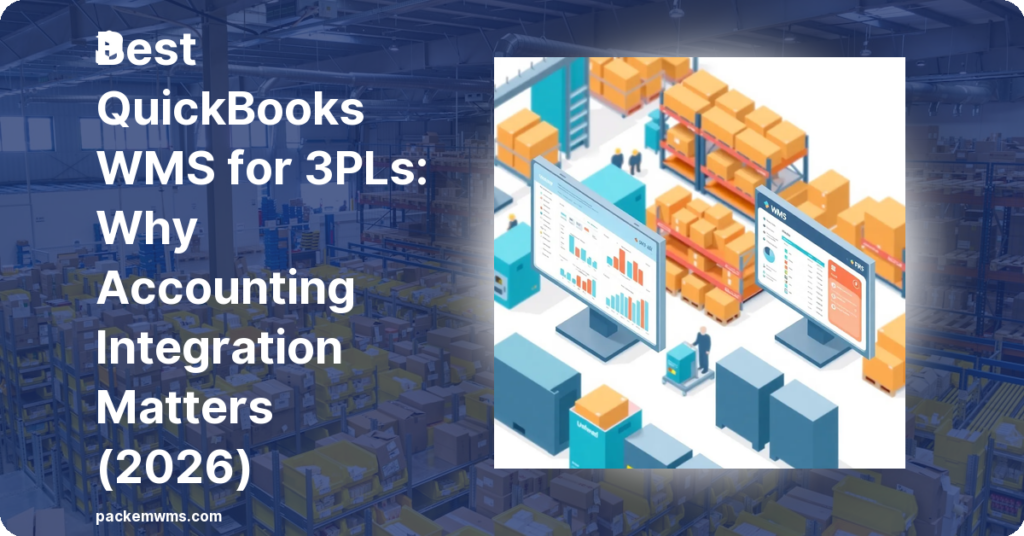
If your 3PL runs on QuickBooks, you already know the problem: your WMS lives in one system and your accounting lives in another. Every billing cycle means exporting from one, importing to the other, and reconciling the differences. That is hours of work that should be automated.
87% of small businesses in the United States use QuickBooks for accounting. In the 3PL segment, that number is even higher — QuickBooks is the de facto accounting standard for small-to-mid 3PLs. But most WMS platforms treat QuickBooks integration as an afterthought.
This guide covers the best WMS options for 3PLs that use QuickBooks, what “native integration” actually means versus a middleware connector, and why the distinction matters more than most buyers realize.
Last Updated: April 2026
What QuickBooks Integration Actually Means for a 3PL
For a 3PL, QuickBooks integration is not just about syncing inventory counts. The integration needs to handle:
According to Intuit, 2023, QuickBooks serves over 6.5 million small businesses globally — making QuickBooks integration a baseline expectation for any 3PL WMS targeting small-to-mid-size operators.
According to QuickBooks customer research, 2023, 78% of users who connect their operational apps to QuickBooks report measurable time savings on billing and reconciliation tasks.
- Multi-client billing: Each client has a different rate card (per-pallet storage, pick-and-pack fees, special handling). Invoices need to flow to QuickBooks as separate items per client.
- Invoice automation: When a billing cycle closes, invoices should generate automatically and sync to QuickBooks — not get manually exported and imported.
- Inventory reconciliation: Stock adjustments, receipts, and shipments should update inventory values in QuickBooks for accurate COGS tracking.
- Payment matching: Payments recorded in QuickBooks should reflect against open invoices from the WMS.
“We integrate with QuickBooks” means very different things depending on which of these the integration actually covers. Some platforms sync inventory only. Others sync invoices but require manual reconciliation. A true native integration handles all of the above automatically.
Native Integration vs Middleware Connector
There are two ways WMS platforms handle QuickBooks connectivity:
Native Integration
The WMS has a direct, built-in connection to QuickBooks. No third-party tool required. The sync is bidirectional, real-time (or near-real-time), and covers the full billing and inventory workflow.
What this looks like in practice: You close a billing period in the WMS. Invoices automatically appear in QuickBooks under the correct client accounts, with line items matching the rate card configuration in the WMS. No CSV export, no import, no reconciliation.
Middleware Connector
The WMS uses a third-party integration platform (Celigo, SPS Commerce, Zapier, or a custom API) to bridge data between the WMS and QuickBooks.
What this looks like in practice: Data syncs on a schedule (hourly, daily) rather than in real-time. The sync covers specific data fields but may miss edge cases. When something breaks (and it will), you debug three systems instead of one: the WMS, the middleware, and QuickBooks.
Middleware connectors cost $100–$300/month and require ongoing maintenance. They also introduce a failure point: if the connector goes down, billing data stops flowing until someone notices and fixes it.
Best QuickBooks WMS Options for 3PLs
1. PackemWMS — Best Native Integration for Small-to-Mid 3PLs
PackemWMS is built specifically for 3PL operators and ships with native QuickBooks integration covering both QuickBooks Online and QuickBooks Desktop. This is the only WMS in this roundup that handles the full 3PL billing-to-accounting workflow natively.
What the integration covers:
– Multi-client billing with custom rate cards per client
– Automatic invoice generation at billing cycle close
– Bi-directional inventory sync
– Client payment reconciliation
– No third-party connector required
Pricing: $750–$1,800/month (published). QuickBooks integration is included in all tiers.
Best for: 3PLs with 1–20 clients using QuickBooks Online or Desktop. Operations doing 10–500 orders/day. 3PLs that want to automate billing without a middleware connector.
Not ideal for: Operations requiring retail EDI compliance or 1,000+ orders/day.
2. Zenventory — Native QuickBooks Integration at Lower Price
Zenventory offers native QuickBooks Online integration with unlimited users at $499/month. It is not built specifically for 3PL operators — the feature set is more general-purpose inventory and order management — but it handles basic QuickBooks sync well.
What the integration covers:
– Inventory sync with QuickBooks
– Order sync
– Basic invoice generation
Pricing: $499/month unlimited users.
Best for: Small operations with simple billing structures that need unlimited users.
Limitations: Multi-client 3PL billing is not a core feature. If you have complex per-client rate cards, Zenventory requires manual workarounds.
3. ShipHero — Limited QuickBooks Integration
ShipHero at $1,995/month is designed for DTC fulfillment brands, not 3PL operators. It has QuickBooks connectivity but through a third-party connector rather than native integration. Multi-client 3PL billing is not a core feature.
Pricing: $1,995/month.
Best for: High-volume DTC fulfillment. Not recommended for 3PLs with multiple billing clients.
4. Extensiv (3PL Central) — No Native QuickBooks Integration
Extensiv’s flagship product does not include native QuickBooks integration. You need a third-party connector (typically Celigo or SPS Commerce) to sync billing and inventory data with QuickBooks. This adds $100–$300/month and ongoing maintenance overhead.
Pricing: Contact sales (~$599+/month, scales with volume).
Best for: Mid-market to enterprise 3PLs with retail EDI requirements. Not the right choice if QuickBooks integration is a primary requirement.
QuickBooks Online vs QuickBooks Desktop: What 3PLs Need to Know
Many small 3PLs are still on QuickBooks Desktop rather than QuickBooks Online. This matters when evaluating WMS integrations, because:
- Most modern WMS platforms integrate with QuickBooks Online but not Desktop
- QuickBooks Desktop uses a different API (the legacy QuickBooks SDK) than QBO
- Desktop integration requires the WMS to connect to a local installation, which adds complexity
PackemWMS supports both QuickBooks Online and QuickBooks Desktop. This is unusual — most platforms have migrated to QBO-only integrations as Intuit phases out Desktop support.
If you are on QuickBooks Desktop and considering migration to QuickBooks Online, this is worth planning. A WMS that supports both gives you flexibility to migrate on your own timeline rather than being forced into QBO by your WMS vendor.
How to Evaluate QuickBooks Integration Before You Buy
Ask these questions before signing:
1. Is the QuickBooks integration native or via a third-party connector?
If they say “via integration” or mention a specific connector tool, it is middleware — not native.
2. Does the integration cover multi-client billing?
Specifically: can it generate separate invoices per client with custom rate cards? This is the core 3PL use case.
3. Is QuickBooks Online and Desktop both supported?
If you are on Desktop, confirm explicitly.
4. What is the sync direction and frequency?
Bidirectional, real-time sync is best. One-way or batch sync introduces reconciliation work.
5. What happens when the sync breaks?
Who is responsible for debugging — you, the WMS vendor, or the middleware vendor? What is the SLA for fixing sync issues?
6. Is QuickBooks integration included in the base subscription?
Or is it a paid add-on?
The Cost of Not Having Native QB Integration
A 3PL with 15 clients doing monthly billing cycles faces this workflow without native QB integration:
- Export billing data from WMS (30–60 minutes)
- Clean and format for QB import (30–60 minutes)
- Import to QuickBooks (15–30 minutes)
- Reconcile discrepancies (15–60 minutes)
- Total: 1.5–3.5 hours per billing cycle, per 15 clients
At $50/hour for accounting staff time, that is $75–$175 per billing cycle per month — or $900–$2,100 per year in hidden labor cost. Add the middleware connector cost ($100–$300/month = $1,200–$3,600/year) and the total cost of not having native integration reaches $2,100–$5,700/year.
Native QB integration pays for itself quickly.
Frequently Asked Questions
Does PackemWMS integrate with QuickBooks?
Yes. PackemWMS has native integration with both QuickBooks Online and QuickBooks Desktop. Multi-client billing, invoice generation, and inventory sync are all covered. No third-party connector required.
Which WMS works best with QuickBooks Online for 3PLs?
PackemWMS is the strongest QuickBooks Online integration in the small-to-mid 3PL segment. It handles multi-client billing natively, which is the core 3PL use case that most WMS platforms require workarounds for.
Can I use QuickBooks Desktop with a WMS?
Yes, but your options are more limited. Most modern WMS platforms support only QuickBooks Online. PackemWMS supports both QuickBooks Online and QuickBooks Desktop.
Does ShipHero integrate with QuickBooks?
ShipHero has QuickBooks connectivity via a third-party connector. It is not a native integration and is designed primarily for DTC fulfillment, not multi-client 3PL operations.
How much does QuickBooks WMS integration cost?
Native integration is included in the WMS subscription (in platforms like PackemWMS). Third-party connector costs typically add $100–$300/month on top of the WMS subscription, plus setup fees.
Bottom Line
For a 3PL running on QuickBooks, native integration is not a nice-to-have — it is the difference between automated billing and hours of manual reconciliation each month.
PackemWMS is the strongest native QuickBooks integration for small-to-mid 3PL operators. It supports both QuickBooks Online and Desktop, handles multi-client billing natively, and includes the integration in all subscription tiers — no connector fees, no middleware to maintain.
If your 3PL uses QuickBooks and you are evaluating WMS options, this is where the conversation should start.
See how PackemWMS connects with QuickBooks in a 30-minute demo — pricing is published, no surprise quotes.