Managing inventory for manufacturing clients means juggling raw materials measured in pounds, finished goods packed in cases, and B2B orders shipped by the pallet. If you’re a 3PL or warehouse handling manufacturing inventory, you know the challenge: purchasing ingredients in bulk units, tracking lot numbers for compliance, managing expiration dates, and fulfilling orders at both the case and pallet level.
This guide walks through the complete picture of manufacturing inventory management, from receiving raw materials to shipping finished goods. We’ll cover the unique challenges of multi-UOM tracking, lot traceability for recalls, FIFO/FEFO rotation, and the operational differences between case picking and pallet picking for B2B fulfillment.
Whether you’re a 3PL serving food manufacturers, a co-packer managing kitting operations, or a warehouse handling both raw materials and finished products, you’ll find practical workflows and system requirements to manage manufacturing inventory accurately.
What is manufacturing inventory management?
Manufacturing inventory management is the process of tracking and controlling inventory throughout the production cycle, from raw materials and components through work-in-progress to finished goods ready for distribution. Unlike retail or DTC inventory management, manufacturing requires handling multiple units of measure, lot number traceability, expiration date tracking, and coordination between purchasing, production, and fulfillment operations.
For 3PLs and warehouses serving manufacturers, this means managing inventory for clients who buy ingredients by the pound but sell products by the case, who need complete lot traceability from supplier to customer, and who fulfill orders ranging from individual cases to full pallet shipments.
Types of manufacturing inventory
Manufacturing inventory falls into four main categories:
Raw materials: The ingredients, components, packaging materials, and supplies that go into production. These typically arrive in bulk units (pounds, gallons, liters, rolls) with supplier lot numbers and certificates of analysis. Raw materials often have expiration dates or shelf life requirements that demand FIFO or FEFO rotation.
Work-in-progress (WIP): Partially completed products currently in the production process. For 3PLs offering kitting or light assembly services, WIP represents items pulled from raw material inventory but not yet completed as finished goods.
Finished goods: Completed products ready for sale and distribution. These typically have different SKUs, units of measure, and lot numbers than the raw materials used to create them. Finished goods inventory represents what customers actually order.
Maintenance, repair, and operations (MRO): Supplies that support production and warehouse operations but don’t go into the final product, equipment, tools, cleaning supplies, and consumables.
Managing raw materials vs finished goods: Key differences
The fundamental challenge in manufacturing inventory management is that raw materials and finished goods behave completely differently in your warehouse system.
Raw material inventory challenges
Raw materials arrive from suppliers with purchasing-focused data: bulk quantities measured in weight or volume, supplier lot numbers, certificates of analysis, and expiration or best-by dates. Your warehouse receives 50-pound bags of flour, 5-gallon containers of oil, or 1,000-meter rolls of film.
Storage locations for raw materials might be organized by production requirements rather than shipping efficiency. Temperature-controlled zones, separate allergen storage, and production staging areas all affect how you organize raw material inventory.
Lot tracking starts at receiving for raw materials. When ingredients arrive, you capture the supplier’s lot number, link it to your internal tracking system, and maintain that traceability as raw materials move to production. If a supplier issues a recall on a specific lot, you need to identify which finished products contain that lot and where those products shipped.
FIFO or FEFO rotation becomes critical for perishable raw materials. Your system needs to direct pickers to the oldest lot (FIFO) or the lot closest to expiration (FEFO) to minimize waste and prevent using expired ingredients in production.
Finished goods inventory considerations
Finished goods represent the output of production with completely different tracking requirements. That 50 pounds of flour becomes 24 packages of bread. The unit of measure changes from pounds to eaches to cases to pallets.
Your warehouse assigns new lot numbers at the finished goods level that link back to the raw material lots consumed in production. This forward and backward traceability enables recall management, you can identify which raw material lots went into a specific finished goods lot, and which customers received products from that lot.
Customer-specific SKUs and labeling requirements often apply to finished goods. The same product might have different SKU numbers, barcodes, and packaging depending on which customer ordered it.
Outbound order fulfillment operates at case and pallet levels for finished goods. B2B customers order in full case quantities or full pallets, requiring different picking strategies than single-item picking for DTC orders.
How WMS handles multi-UOM conversion
A warehouse management system designed for manufacturing inventory maintains relationships between all units of measure simultaneously. The system knows that one pallet contains 48 cases, each case contains 24 items, and can convert between these levels automatically.
When you purchase cocoa powder by the pound, the system tracks pounds in inventory. When production consumes cocoa to make chocolate bars packaged by the case, the system deducts the appropriate pounds from raw material inventory and adds cases to finished goods inventory. When a customer orders by the pallet, the system knows exactly how many eaches that represents.
Real-time visibility across all UOMs means you can answer questions like “How many pallets can we ship?” or “How many pounds of flour do we need for this production run?” without manual calculations.
Unit of measure (UOM) management in manufacturing warehouses
Manufacturing warehouses deal with constant unit-of-measure conversions. Raw materials arrive in one UOM, production consumes in another, and customers order in yet another.
Setting up UOM structures
Every item in your system needs a UOM hierarchy that defines the relationships between units. Start with the primary UOM, typically the smallest trackable unit (each). Then define larger UOMs and the conversion factors between them.
For example: 1 pallet = 48 cases, 1 case = 24 eaches. The system now knows that 2 pallets = 96 cases = 2,304 eaches. Any transaction at any UOM level automatically updates inventory at all other levels.
Item master data should include purchase UOM (how you buy it), storage UOM (how you track it in the warehouse), and sales UOM (how customers order it). These might all be different for the same item.
Common UOM scenarios in manufacturing
Food production presents complex UOM management: bulk flour purchased in 50-pound bags, recipes that call for cups or ounces, and finished bread sold by the loaf, packaged in cases, and shipped on pallets. Your system needs to track all these conversions accurately.
Component assembly involves purchasing individual parts (eaches), assembling them into units (one finished product = 12 components + 3 fasteners + 1 housing), and shipping in cartons. The system must track component consumption and finished goods creation simultaneously.
Liquid products might be purchased in gallons, stored in bulk tanks measured in liters, filled into bottles measured in ounces, packed into cases, and shipped on pallets. Each step involves different UOMs that must reconcile perfectly.
| Inventory Type | Purchase UOM | Storage UOM | Shipping UOM | Example |
|---|---|---|---|---|
| Raw Material | Pounds (lbs) | Pounds | N/A | Flour for bakery |
| Raw Material | Gallons | Liters | N/A | Cooking oil |
| Finished Goods | N/A | Eaches | Cases | Packaged bread (24/case) |
| Finished Goods | N/A | Cases | Pallets | Bottled beverages (48 cases/pallet) |
Lot tracking and expiration date management
Lot tracking provides the traceability required for food safety compliance, product recalls, and quality control. For manufacturers and the 3PLs that serve them, lot tracking isn’t optional, it’s a regulatory requirement.
Why lot tracking matters for manufacturing
Product recalls depend on lot-level traceability. When a contaminated ingredient or defective component is identified, you need to answer two questions immediately: which finished goods contain that lot, and where did those products ship? Without lot tracking, you’d need to recall everything produced in a given timeframe, costing significantly more and damaging customer trust.
Regulatory compliance in food manufacturing requires maintaining records that trace every lot from receiving through production to shipment. The FDA’s Food Safety Modernization Act (FSMA) mandates lot traceability for food manufacturers and distributors, with requirements to provide full tracing within 24 hours during a recall.
Quality control investigations use lot tracking to identify patterns. If customers report quality issues with products from a specific production run, lot tracking helps you identify the root cause, a bad batch of raw materials, an equipment calibration issue, or a specific production date.
How lot tracking works in WMS
Lot number assignment starts at receiving. When raw materials arrive, your team scans the supplier’s lot number from the packaging or pallet label. The WMS associates that lot number with the items and maintains that relationship through putaway and storage.
Inventory lives at the lot level in your system. You don’t just have 500 pounds of flour, you have 200 pounds of lot ABC123, 150 pounds of lot ABC124, and 150 pounds of lot ABC125. Each lot has its own received date, expiration date, and storage locations.
Lot-directed picking ensures the system selects the correct lot for production or shipping. When a pick list generates, the WMS specifies which lot to pick from which location based on FIFO/FEFO rules or specific lot requirements.
Expiration date management and FIFO/FEFO
First-In-First-Out (FIFO) rotation prioritizes the oldest inventory regardless of expiration date. The lot that arrived first ships first. FIFO works well for non-perishable manufacturing inventory where age matters more than specific expiration dates.
First-Expired-First-Out (FEFO) prioritizes lots by expiration date rather than received date. If you receive lot A with a 6-month expiration and then receive lot B with a 3-month expiration, FEFO directs you to use lot B first even though it arrived second. FEFO is essential for food manufacturers and any warehouse handling perishable products.
Automated expiration alerts notify you when lots approach expiration. Set warning thresholds (30 days before expiration, for example) so you can prioritize moving that inventory before it becomes unsellable. The system should block picking expired lots entirely, preventing them from shipping to customers.
Lot hold and quarantine workflows let you place specific lots on hold while investigating quality issues or waiting for lab results. Held lots remain in inventory counts but can’t be allocated to orders until released.
Managing product recalls with lot tracking
When a recall occurs, speed matters. A food manufacturing WMS with robust lot tracking provides immediate answers about where affected inventory is located.
Forward traceability shows where each lot went. If raw material lot XYZ is recalled, you identify which finished goods lots were produced using that raw material and which customers received those finished goods. Your recall notification goes only to affected customers, not your entire customer base.
Backward traceability works in reverse. If customers report issues with finished goods lot ABC, you trace back to identify which raw material lots went into that production run. This helps identify the root cause and whether other finished goods lots are affected.
Location tracking within your warehouse shows exactly where inventory sits. Affected lots might be in receiving, production staging, finished goods storage, or already shipped. Your system provides a complete location report for immediate action.
Documentation for regulatory compliance gets generated automatically. Your lot traceability report shows the complete chain of custody from supplier receipt through production to customer shipment, with dates, quantities, and locations at each step.
B2B order fulfillment for manufacturing: Case pick vs pallet pick
Manufacturing inventory typically ships through B2B channels to distributors, retailers, or other manufacturers. These orders look completely different from DTC e-commerce fulfillment.
B2B fulfillment characteristics include larger order quantities per line item, cases or pallets rather than single units. Shipping methods involve LTL (less-than-truckload) and FTL (full truckload) freight rather than parcel carriers. Many enterprise retailers require EDI connections for automated purchase orders, advanced ship notices, and invoices.
When to use case picking
Case picking means selecting full sealed cases from storage locations rather than breaking cases open to pick individual items. A case might contain 24 bottles of sauce or 50 packages of snack bars, you pick the entire sealed case as a single unit.
Case picking works best for medium-volume orders where customers order between 1 and 10 cases per SKU. A retail store might order 3 cases of product A, 5 cases of product B, and 2 cases of product C. You pick those specific case quantities and build a mixed pallet for LTL shipment.
The workflow for case picking involves breaking down storage pallets containing multiple cases, selecting the required number of cases per SKU, and often building new mixed pallets for outbound shipment. Pickers use pallet jacks or order picker equipment to access case-level inventory in rack locations.
Accuracy requirements for case picking demand scanning each case to verify correct SKU and quantity. Since you’re breaking pallets and building mixed-SKU shipments, barcode verification prevents picking errors that would cost significantly more to fix after shipment.
When to use pallet picking
Pallet picking treats entire pallets as single units. Instead of selecting individual cases, you move whole pallets from receiving to storage to shipping. The pallet itself becomes the pickable unit.
Pallet picking excels for high-volume orders where customers order in full pallet quantities. A distributor ordering 40 cases of a single SKU would receive a full pallet (if your standard pallet quantity is 40-48 cases). You pick the entire pallet rather than counting individual cases.
Pallet In/Pallet Out workflows handle inventory that never gets broken down. When you receive a pallet of bagged cement mix, it goes directly to storage with a pallet LPN (license plate number) and later ships as the same intact pallet to a customer. The system tracks at the pallet level rather than case or item level.
LPN tracking for pallets provides pallet-level accuracy without case-by-case verification. Each pallet receives a unique barcode at receiving that identifies everything on that pallet. Pick, ship, and inventory transactions all happen at the pallet LPN level, making the process significantly faster than case-level tracking.
Cross-docking opportunities arise when you can match incoming pallet shipments directly to outgoing pallet orders. Pallets move from receiving to shipping without entering storage, reducing handling time and labor costs.
Mixed pallet management
Building outbound pallets from multiple SKUs requires careful attention to weight distribution, stacking compatibility, and customer requirements. Heavier cases go on the bottom, lighter ones on top. Fragile products can’t be crushed under heavy items.
Mixed pallet composition tracking in your WMS maintains the exact contents of each outbound pallet. Pallet ABC contains 10 cases of SKU 1, 8 cases of SKU 2, and 12 cases of SKU 3. This level of detail supports accurate billing and helps resolve shipping discrepancies.
Labeling for LTL shipment includes pallet content labels showing all SKUs and quantities, freight class and weight for carrier documentation, and customer-specific labeling requirements (retail compliance labels, for example).
| Factor | Case Picking | Pallet Picking |
|---|---|---|
| Order Quantity | 1-10 cases per SKU | Full pallets (40+ cases) |
| Speed | Moderate | Fast |
| Accuracy Method | Scan each case | Scan pallet LPN only |
| Equipment | Pallet jack, order picker | Forklift, pallet jack |
| Best For | Mixed SKU orders | Single SKU bulk orders |
| Pallet Type | Mixed SKU outbound | Single SKU storage & shipping |
Kitting and assembly for manufacturing clients
Many 3PLs offer value-added services to manufacturing clients, particularly kitting (combining multiple components into packages) and light assembly.
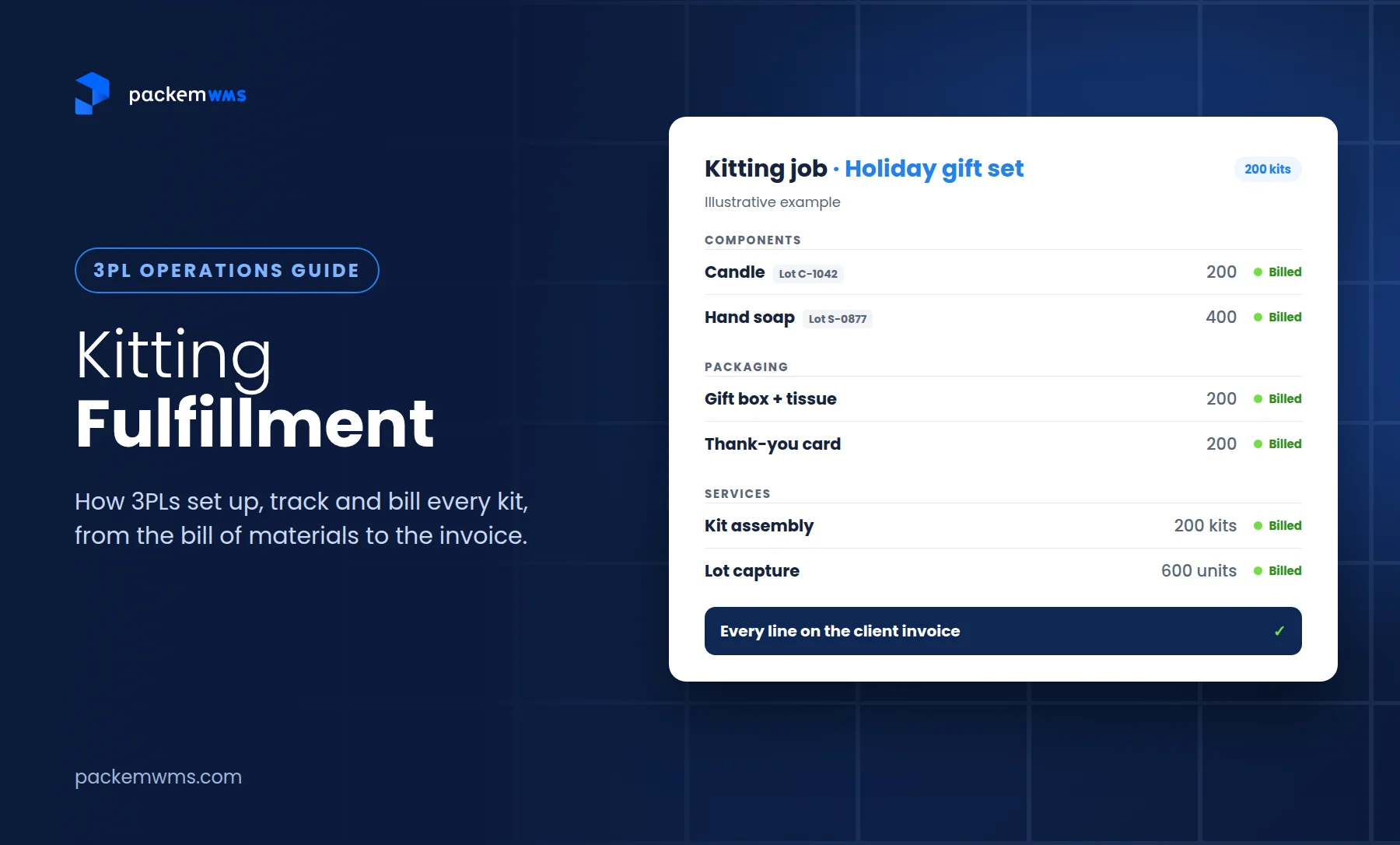
Kitting operations involve pulling multiple components from inventory based on a bill of materials (BOM), combining them into a kit SKU, and updating inventory for both the consumed components and the newly created kit. A gift basket might consume 1 basket, 2 food items, 1 ribbon, and 1 card to create 1 finished gift basket SKU.
Your WMS needs to track component consumption accurately. When you build 100 kits that each require 5 components, the system deducts 500 units from component inventory and adds 100 units to kit inventory. If component stock runs out mid-kitting, the system should alert you before you start building kits you can’t complete.
Bill of materials tracking defines which components and quantities go into each kit. The BOM lives in your system as a recipe that dictates what gets pulled from inventory. Changes to the BOM (different components, different quantities) should version-control so you maintain history of what went into kits produced at different times.
Light assembly and co-packing services turn raw materials or components into finished products. This might involve assembling parts, attaching labels, shrink-wrapping products, or creating retail-ready packages. Each assembly or co-packing operation consumes input inventory and creates output inventory at a different SKU.
Billing for kitting services requires tracking labor time, materials consumed, and units completed. Your 3PL billing engine should automatically calculate kitting fees based on complexity (number of components, assembly time) and volume (units produced). Our kitting fulfillment guide covers setup, component tracking and billing in more detail.
Essential WMS features for manufacturing inventory
If you’re managing manufacturing inventory for clients, your warehouse management system needs specific capabilities beyond basic fulfillment features.
Real-time inventory visibility
Track raw materials and finished goods as separate inventory types with different attributes. Raw materials need supplier lot tracking, expiration dates, and production staging. Finished goods need customer SKU mapping, case/pallet quantities, and outbound lot assignments.
Multi-location inventory tracking across warehouses, production facilities, and client sites gives everyone visibility into where inventory sits. Your manufacturing client might have raw materials at your warehouse, WIP at their production facility, and finished goods at your fulfillment center, your system should show all of it.
Lot and serial number visibility at every transaction point means you can trace inventory from supplier lot through production to customer shipment. Every move, pick, adjustment, and shipment captures lot information automatically.
Barcode and mobile scanning
Receiving workflow involves scanning supplier lot numbers from incoming pallets or cases, generating internal LPN labels for storage pallets, and assigning locations for putaway. Mobile devices let receiving staff work directly on the warehouse floor without returning to desktop terminals.
Lot-directed picking shows warehouse staff exactly which lot to pick from which location. The mobile scanner displays the location, SKU, lot number, and quantity to pick. Scanning the lot number confirms they’re picking from the correct lot, preventing lot-picking errors that would violate customer requirements or regulatory compliance.
Mobile cycle counting for lot-managed inventory lets you count by lot number, verify expiration dates, and reconcile inventory discrepancies without disrupting ongoing warehouse operations. Regular cycle counts maintain inventory accuracy for both raw materials and finished goods.
Advanced lot tracking
FIFO/FEFO enforcement at the system level directs picking to the oldest lot or nearest-expiring lot automatically. Warehouse staff don’t need to check received dates or expiration dates manually, the WMS selects the correct lot based on rotation rules you configure.
Expiration date management includes receiving items with expiration dates, calculating days remaining until expiration, alerting when inventory approaches expiration thresholds, and blocking expired lots from being picked for orders. These controls prevent expired products from reaching customers.
Recall traceability reporting provides forward tracing (where each lot shipped), backward tracing (which lots went into production), and location reports (where each lot currently sits). When recalls happen, you need these reports immediately.
Multi-UOM support
Purchase, store, and sell in different units without manual conversion. Your system tracks raw materials in pounds while tracking finished goods in cases and pallets, maintaining accurate relationships between all UOMs.
Automatic conversion calculations mean picking 3 pallets automatically deducts the correct number of cases and eaches from inventory. Production consuming 50 pounds of flour automatically updates both pound-based raw material inventory and triggers reorder alerts when you hit minimum quantities.
Inventory accuracy across all UOM levels ensures your reports show correct quantities whether you’re viewing pounds, cases, or pallets. No manual calculations or spreadsheet conversions required.
Pallet and LPN management
Track inventory at the pallet level using unique LPN barcodes assigned at receiving. Each pallet gets scanned once for receiving, putaway, picking, and shipping rather than scanning every case individually.
Mixed pallet support lets you track multiple SKUs on a single pallet with quantities per SKU. When you build an outbound pallet with 10 cases of SKU A and 15 cases of SKU B, the system maintains that composition under a single pallet LPN.
Pallet receiving and shipping workflows move pallets as single units for high-volume operations. Forklift operators scan pallet LPNs rather than individual cases, dramatically increasing speed and accuracy for pallet-quantity orders.
Cross-dock operations route incoming pallets directly to outbound orders without storage. Your system matches inbound pallets to pending orders and directs them to shipping doors, reducing handling time and storage costs for time-sensitive shipments.
Integration capabilities
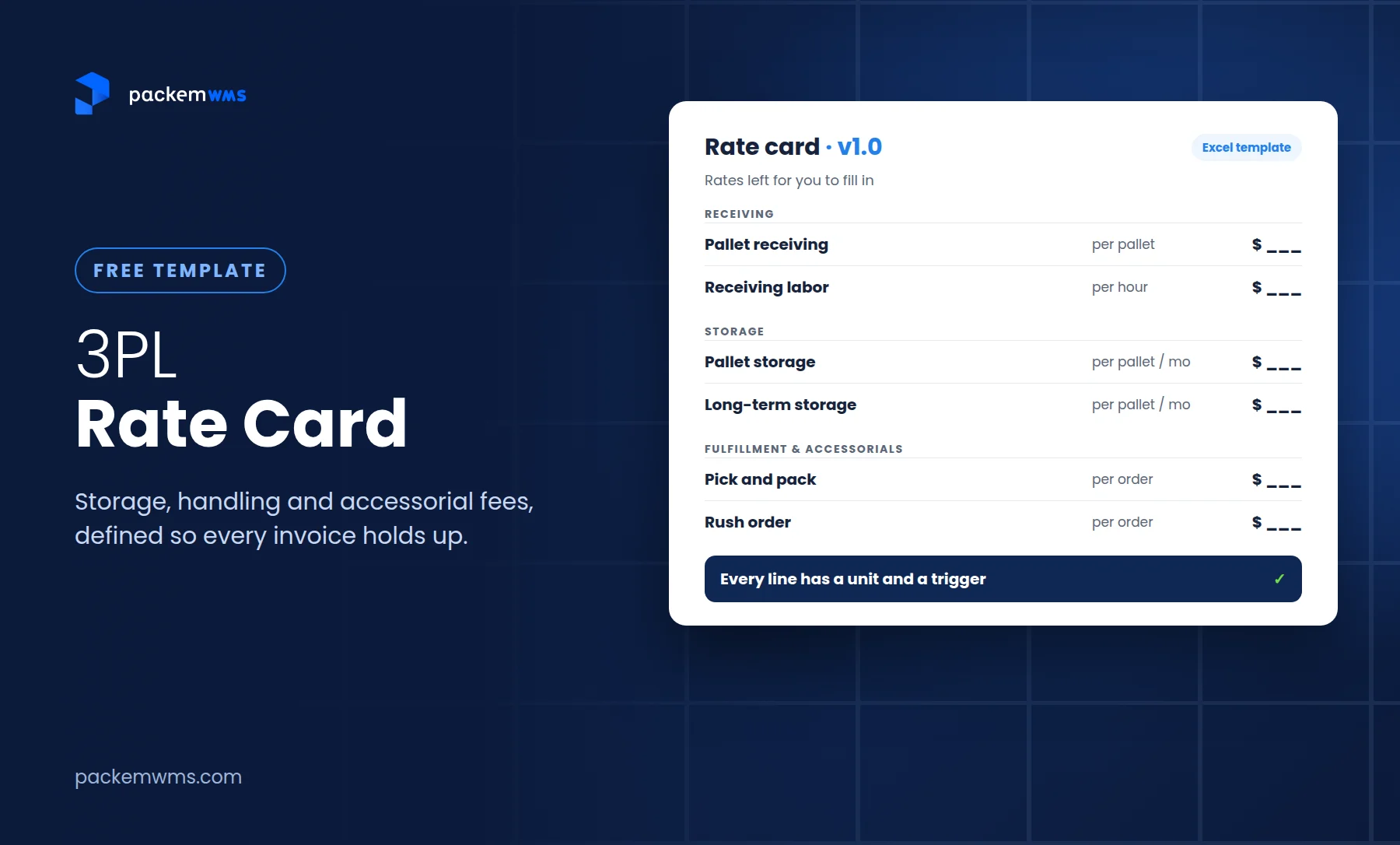
QuickBooks integration for automated billing is critical for 3PLs managing manufacturing inventory. Your system should automatically generate invoices for storage fees (by pallet), handling fees (receiving, kitting, returns), and shipping fees, then sync those invoices directly to QuickBooks without manual data entry.
E-commerce platform connections for finished goods that sell through Shopify, WooCommerce, or Amazon let manufacturers manage DTC and B2B channels from the same WMS. Orders flow in automatically, inventory syncs in real-time, and tracking updates push back to the sales channel.
EDI connections for B2B enterprise customers enable automatic purchase order import (EDI 850), advance ship notice transmission (EDI 856), and invoice submission (EDI 810). Large retailers require EDI compliance, making these connections essential for serving the manufacturing B2B market.
Billing automation for 3PLs
Storage fees by pallet or case should calculate automatically based on how long inventory sits in your warehouse and the rate cards you’ve configured for each client. Monthly storage invoices generate without manual counting or calculations.
Transaction-based billing for receiving, picking, packing, kitting, and returns should track every warehouse transaction and apply the appropriate fees from each client’s rate card. When you receive 10 pallets, pick 50 cases, and build 25 kits, your system calculates fees for all three activities.
Lot-specific billing might be required for manufacturing clients who need segregated storage for different lots or expedited processing for specific production runs. Your billing engine should support lot-level rate modifiers and special handling fees.
Automated invoice generation and QuickBooks sync eliminates manual billing processes. Invoices generate on your schedule (weekly, monthly), sync to QuickBooks automatically, and provide detailed transaction backup for clients who want to audit their bills.
Regulatory compliance for manufacturing warehouses
Manufacturing inventory often falls under regulatory oversight that creates specific warehouse management requirements.
The Food Safety Modernization Act (FSMA) requires food manufacturers and distributors to maintain traceability records showing the flow of food through the supply chain. Your WMS provides the lot tracking, location tracking, and chain-of-custody documentation required for FSMA compliance.
FDA compliance for pharmaceuticals and medical devices mandates even stricter traceability, including serial number tracking at the individual unit level, electronic pedigree records, and verification of supplier credentials. Drug manufacturers and their 3PLs must maintain detailed records meeting Drug Supply Chain Security Act (DSCSA) requirements.
USDA requirements for meat, poultry, and egg products include lot identification and traceability standards specific to protein products. Warehouses handling USDA-regulated products need systems that maintain the required records and generate compliance reports for audits.
How to choose manufacturing inventory management software
Evaluating WMS options for manufacturing inventory requires assessing capabilities specific to multi-UOM, lot tracking, and B2B fulfillment.
Must-have features checklist
- Multi-UOM support (raw materials to finished goods conversions)
- Advanced lot tracking and expiration management
- Pallet LPN tracking for B2B fulfillment
- Case pick and pallet pick workflows
- Barcode scanning and mobile capabilities
- Real-time inventory visibility
- Recall management and traceability
- QuickBooks or accounting integration
- Billing automation for 3PL services
- Multi-client capability (for 3PLs)
Implementation timeline
Expect 2-5 weeks for mid-size manufacturing warehouse implementations. This includes system configuration, data migration for items and inventory, staff training on mobile devices, and testing workflows before go-live. Manufacturing implementations take longer than basic fulfillment WMS because of the complexity around lot tracking, multi-UOM, and kitting operations.
Compare this to ERP systems that often require months of implementation, extensive customization, and significant IT resources. A focused warehouse management system delivers the inventory management capabilities you need without ERP complexity and cost.
Pricing considerations
Affordable options for small-mid size operations typically range from $750-1,800 per month based on order volume and features. Look for transparent pricing that includes unlimited users, unlimited clients (for 3PLs), and all core features including lot tracking, mobile scanning, and integrations.
Avoid over-complex enterprise solutions that require per-user fees, per-client fees, or expensive customization. Manufacturing inventory management is complex enough without adding WMS complexity on top.
Ensure the system scales as your business grows. You shouldn’t need to migrate to a different platform as you add clients or increase volume. Look for systems that handle 10 clients or 100 clients with the same capabilities.
Best practices for manufacturing inventory management
Beyond having the right system, operational practices determine how accurately and efficiently you manage manufacturing inventory.
Organize warehouse layout with separate zones for raw material receiving, production staging, finished goods storage, and shipping. If you handle temperature-sensitive products, establish dedicated cold storage or refrigerated areas for both raw materials and finished goods.
Implement cycle counting programs that count by lot number rather than just by SKU. Regular lot-level cycle counts verify both quantity accuracy and lot assignment accuracy, catching errors before they create compliance issues or shipping mistakes.
Maintain lot traceability records for both forward traceability (which customers received each lot) and backward traceability (which raw material lots went into finished goods). These records are essential for recalls, customer complaints, and regulatory audits. Your WMS should make generating these reports simple.
Automate expiration alerts to prevent expired inventory from shipping. Set thresholds that trigger alerts 30-60 days before expiration so you can prioritize moving that inventory before it becomes waste. Configure the system to block picking from expired lots entirely.
Optimize B2B picking workflows with velocity-based slotting that places fast-moving finished goods near shipping areas, dedicated pallet positions for full-pallet picks, and case flow for case-pick operations. Minimize travel time between pick locations to improve productivity.
FAQ: manufacturing inventory management
What is manufacturing inventory management?
Manufacturing inventory management is the process of tracking and controlling inventory throughout the production cycle, from raw materials through work-in-progress to finished goods. It requires handling multiple units of measure (purchasing by pound, selling by case), lot number traceability for recalls, expiration date tracking for compliance, and coordination between purchasing, production, and fulfillment. For 3PLs and warehouses, this means managing inventory where the unit of measure changes from raw materials to finished goods, maintaining complete lot traceability, and supporting both case-level and pallet-level fulfillment.
How do you track lot numbers in a warehouse?
Lot tracking starts at receiving when you scan the supplier’s lot number and associate it with inventory in your WMS. The system maintains that lot relationship through putaway, storage, picking, and shipping. Inventory is tracked at the lot level (200 pounds of lot ABC123, 150 pounds of lot ABC124) rather than just total quantity. When picking orders, the WMS directs staff to specific lots based on FIFO/FEFO rules. This creates complete traceability showing which raw material lots went into finished goods and which customers received each lot.
What is the difference between FIFO and FEFO?
FIFO (First-In-First-Out) prioritizes the oldest inventory regardless of expiration date. The lot that arrived first ships first. FIFO works for non-perishable manufacturing inventory where age matters more than specific expiration dates. FEFO (First-Expired-First-Out) prioritizes lots by expiration date rather than received date. If lot A expires in 6 months and lot B expires in 3 months, FEFO ships lot B first even if it arrived second. FEFO is essential for food manufacturers, pharmaceuticals, and any warehouse handling perishable products to minimize waste and prevent shipping expired goods.
What is LPN tracking in warehouse management?
LPN (License Plate Number) tracking assigns a unique barcode to each pallet at receiving that identifies everything on that pallet. Instead of scanning individual cases, warehouse staff scan the pallet LPN for receiving, putaway, picking, and shipping. The WMS tracks what SKUs and quantities are on each LPN, including mixed pallets with multiple SKUs. LPN tracking dramatically speeds up pallet-level operations because you scan once per pallet instead of scanning every case. This is essential for B2B fulfillment and pallet-in/pallet-out workflows.
What is the difference between case picking and pallet picking?
Case picking means selecting full sealed cases from storage locations, typically for orders of 1-10 cases per SKU. You break down storage pallets, pick specific case quantities, and often build mixed-SKU pallets for LTL shipment. Each case gets scanned for accuracy. Pallet picking treats entire pallets as single units for high-volume orders of 40+ cases per SKU. You move whole pallets from receiving to storage to shipping, scanning the pallet LPN rather than individual cases. Pallet picking is 5-10x faster than case picking for full pallet quantities.
How do you manage expiration dates in a warehouse?
Expiration date management starts at receiving when you capture the expiration date with each lot. Your WMS tracks days remaining until expiration for every lot and uses this data to direct FEFO picking automatically. Set warning thresholds (30-60 days before expiration) to trigger alerts so you can prioritize moving inventory before it expires. The system should block picking from expired lots entirely to prevent them from shipping. Regular cycle counts verify expiration dates remain accurate, and reporting shows which inventory is approaching expiration so you can take action.
What is kitting in warehouse operations?
Kitting combines multiple components from inventory into a single package or kit based on a bill of materials (BOM). For example, a gift basket kit might consume 1 basket, 2 food items, 1 ribbon, and 1 card from component inventory to create 1 finished kit SKU. Your WMS tracks component consumption (deducting from component inventory) and kit creation (adding to kit inventory) simultaneously. Kitting is a common value-added service for 3PLs serving manufacturers, requiring accurate component tracking and automated billing for kitting labor and materials.
Do I need a WMS or ERP for manufacturing inventory?
A focused warehouse management system delivers the inventory control you need (multi-UOM, lot tracking, pallet management, mobile scanning) without ERP complexity and cost. WMS implementations take 2-5 weeks compared to months for ERP systems. If you need full financial management, production planning, and business-wide integration, consider ERP. But for warehouse-focused manufacturing inventory (receiving raw materials, tracking lots, fulfilling B2B orders, billing clients), a WMS provides the right capabilities at a fraction of the cost. Many manufacturers use WMS for warehouse operations with QuickBooks for accounting instead of full ERP.
How long does warehouse management system implementation take?
Most manufacturing WMS implementations take 2-5 weeks from contract signing to go-live. This includes system configuration for multi-UOM and lot tracking, data migration for items and inventory, staff training on mobile scanning, and workflow testing. Manufacturing implementations take longer than basic fulfillment WMS because of lot tracking complexity, UOM conversions, and kitting operations. Compare this to ERP systems requiring months of implementation. The key is choosing a system designed for warehouse operations rather than over-engineering with enterprise software.
What devices do you need for warehouse management?
You need Android mobile devices or Zebra handheld scanners for warehouse floor operations. Staff use these devices for receiving (scanning lot numbers), putaway (confirming locations), picking (lot-directed workflows), and cycle counting. Any Android device works, from consumer tablets to industrial Zebra scanners designed for warehouse environments. Choose Zebra devices for rugged operations with frequent drops and exposure to dust or temperature extremes. Note that most warehouse management systems, including PackemWMS, support Android but not iOS devices.
How do 3PLs bill for manufacturing inventory services?
3PLs bill manufacturing clients using customizable rate cards with fees for storage (by pallet or case, calculated based on time in warehouse), receiving (per pallet or case received), picking and packing (per case or order), kitting and assembly (per kit or per labor hour), and returns processing (per item returned). The WMS tracks every transaction automatically and applies the appropriate fees from each client’s rate card. Invoices generate on schedule (weekly or monthly) and sync directly to QuickBooks, eliminating manual billing calculations and data entry.
Conclusion
Manufacturing inventory management requires balancing multiple units of measure, maintaining complete lot traceability, and supporting both case-level and pallet-level fulfillment for B2B orders. Raw materials arrive in bulk quantities with supplier lot numbers while finished goods ship in cases and pallets with different lot assignments. Your warehouse system needs to track conversions between UOMs, enforce FIFO/FEFO rotation for perishables, provide instant lot traceability for recalls, and support efficient picking whether you’re building mixed pallets with case picks or moving full pallets to shipping docks.
For 3PLs serving manufacturing clients, success depends on having a WMS that handles this complexity while keeping operations simple for your warehouse team. Lot tracking, expiration management, pallet LPN workflows, and automated billing for complex 3PL fee structures aren’t optional features, they’re requirements for serving food manufacturers, co-packers, and B2B distributors.
PackemWMS handles manufacturing inventory from raw materials through finished goods with built-in lot tracking, multi-UOM support, pallet management, and automated 3PL billing. Small to mid-size 3PLs get enterprise-grade inventory control without enterprise complexity or cost, with implementation in 2-5 weeks and unlimited clients included.
See how PackemWMS manages manufacturing inventory: Schedule a demo to see lot tracking, pallet workflows, and automated billing in action for your warehouse operations.
Next steps:
– Explore 3PL warehouse management features for multi-client operations
– Learn about food manufacturing compliance and lot tracking
– Review PackemWMS integrations for QuickBooks, e-commerce, and EDI