Lot Tracking Software for 3PL and Food Distribution
Last Updated: May 6, 2026
Lot tracking software is a system that assigns a unique identifier to every batch of product received, then traces that identifier through every warehouse movement, receiving, putaway, picking, and shipping, so operators can locate all units of a specific lot within seconds. For 3PLs handling food clients, that trace capability is not optional.
The stakes change when your warehouse stores food. One lot of contaminated product can trigger a recall across dozens of shipments. Your food brand clients are liable, and so is the 3PL that stored and shipped the product. Without the right lot tracking software, a recall becomes a multi-day manual search through paper logs and spreadsheets. With it, you pull a full trace report in minutes.
This guide covers what lot tracking software actually does inside a 3PL, why food distribution creates a higher-stakes environment than general warehousing, how multi-client lot management works, and what to look for when evaluating a food distribution WMS for your operation.
What lot tracking software does for 3PLs
Lot tracking software connects every inbound receipt to a specific lot number, then maintains that link through every transaction until the product leaves your dock.
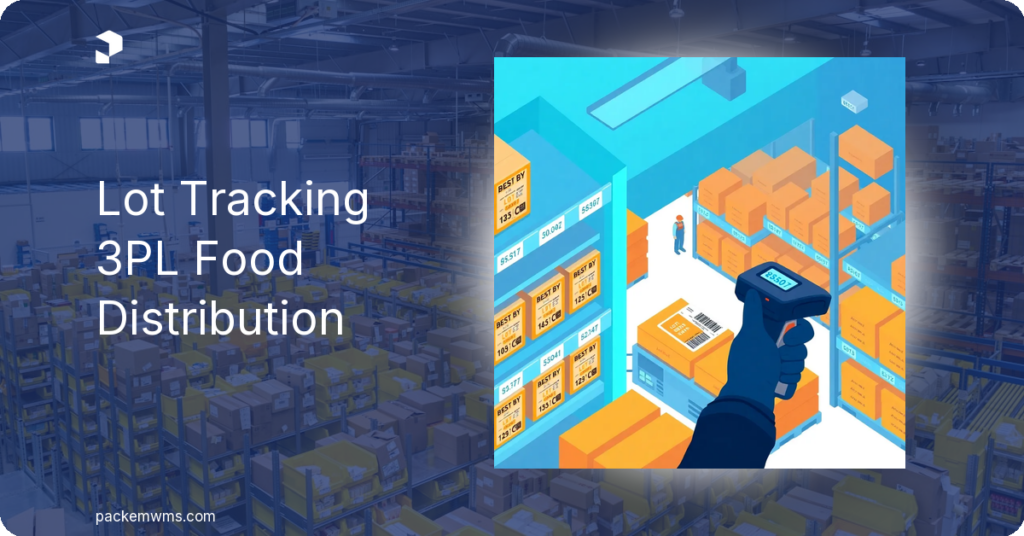
At receiving, a staff member scans or enters the lot number from the supplier label. The system records the quantity, storage location, and expiration date. From that point, every putaway scan, pick scan, and outbound shipment carries the lot number. When a shipment leaves, the packing slip and shipment record show exactly which lot was sent and to whom.
The practical result: if a food brand calls asking where every unit from lot XYZ is right now, you open one screen and see the on-hand quantity by location plus every outbound order that shipped that lot. That is a lot trace report. Without software enforcing lot numbers at every scan, that report requires manual reconstruction from receiving logs and pick tickets, hours of work prone to error.
Lot tracking software also enforces inventory rotation. First Expired, First Out (FEFO) logic automatically directs pickers to the lot with the nearest expiration date, regardless of bin location. First In, First Out (FIFO) directs them to the oldest received lot. Both prevent expired or near-expired product from being skipped over in favor of newer stock, a common and costly problem in spreadsheet-managed warehouses.
Why food distribution 3PLs face higher stakes
Food recalls are not rare events. The FDA issues hundreds of voluntary and mandatory recalls each year. According to FDA data, the average food recall affects tens of thousands of cases and can cost a food brand hundreds of thousands of dollars in product retrieval, disposal, and repackaging, before factoring in lost sales or litigation.
The FDA’s Food Safety Modernization Act, specifically the Food Traceability Rule (FSMA Section 204), requires food businesses to maintain Key Data Elements (KDEs) for foods on the Food Traceability List. While FSMA 204 compliance obligations fall primarily on the food brand, 3PLs who store and ship that food are part of the traceability chain. Your food clients will ask you how you track their lots. If you cannot answer that question concisely, and demonstrate the capability, you will lose those clients to a 3PL that can.
Food brands also carry insurance and investor obligations around traceability. Their audits now routinely include questions about their 3PL partners’ WMS capabilities. A 3PL running lot tracking on spreadsheets is a liability, not a partner.
Beyond recalls, there is a shelf life reality specific to food distribution. Unlike general merchandise, food has hard expiration dates. Shipping product that expires within a client-defined window, often 60, 90, or 120 days before expiration, violates service agreements. Without FEFO enforcement at the pick level, those violations happen silently until a retailer rejects a shipment.
Multi-client lot pools: separating inventory by client
This is the operational challenge that separates food distribution 3PLs from food manufacturers, and it is why a 3PL warehouse management software built for multi-client operations matters.
A food manufacturer tracks lots within a single product catalog. A 3PL tracks lots across dozens of clients, each with their own product catalog, lot numbering conventions, expiration thresholds, and recall procedures. Those lot pools must be completely isolated from each other.
Here is where generic lot tracking systems break down. If the system does not segregate lot pools by client, a search for “lot number 2025-04-15A” could return results from three different clients who happened to use the same lot format. That creates confusion and potential cross-contamination of records, exactly what a recall investigation cannot tolerate.
A purpose-built 3PL lot tracking system maintains separate lot records per client. Each client’s lot numbers exist in their own namespace. When you run a trace report for one client, you see only their lots. When FEFO logic kicks in at the pick step, it evaluates expiration dates within that client’s inventory only, not across the entire warehouse.
The client portal adds another layer of value here. Food brand clients want to see their own lot-level inventory without calling your office. A white-labeled portal where they can log in and view real-time lot quantities, expiration dates by lot, and shipment history by lot removes a significant volume of inbound requests from your team.
Lot tracking workflow inside a WMS
Understanding the full workflow helps 3PL operators evaluate whether a WMS can actually support their food clients, or just claims to.
Receiving: The staff member scans the inbound product. The system prompts for the lot number and expiration date. If the client’s item setup requires lot tracking, the system will not allow the receiving transaction to complete without those fields. The lot is tied to the specific purchase order and the specific received quantity.
Putaway: The putaway task carries the lot number. When the staff member scans the destination bin, the system records that lot in that location. If the same product exists in multiple bins under multiple lot numbers, the system tracks each separately.
Picking: When an order is released, the system allocates inventory according to the client’s rotation rule (FEFO or FIFO). The pick task directs the picker to the correct bin and the correct lot. The scanner confirms the lot barcode on the product before allowing the pick to complete. Wrong lot picked? The scanner rejects it.
Shipping: The outbound shipment record captures every lot number included in the shipment. The packing slip can print the lot numbers for the receiving party. The shipment becomes a permanent record tied to that lot, available instantly for recall lookups.
Lot traceability report: At any point, a manager or the client can run a report filtered to a single lot number. The report shows: where the lot was received, where it was stored, which orders it was picked for, and which shipments it left on. That is the recall backbone.
Recall reporting and customer portal visibility
When a food client calls with a recall situation, the clock starts. Every hour of manual investigation is an hour of additional exposure.
A proper food distribution WMS makes recall reporting a reporting function, not an investigation. You enter the lot number. The system returns the full trace: what was received, where it was stored, what was picked, and what shipped to which customers on which dates. The report exports as a CSV or PDF your client’s quality team can send directly to regulatory contacts or retail partners.
On the portal side, proactive lot visibility catches issues before they become recalls. When a food brand can log in and see lot quantities and expiration dates in real time, they can alert you to near-expiry stock before it ships. That is the kind of operational partnership that retains clients long-term.
The portal also handles self-service questions that currently land in your inbox: how much of lot 2025-03A is still on hand? Which orders shipped from that lot? Self-service answers reduce your team’s workload and give your client confidence in your operation.
What to evaluate when buying lot tracking software for a food 3PL
Not every WMS that advertises lot tracking is built for multi-client food distribution. Here is a practical checklist for evaluating key WMS features when your operation serves food brands:
- Client-level lot isolation: Can the system maintain separate lot pools per client with no risk of cross-contamination between records?
- FEFO and FIFO enforcement at the pick level: Does the system enforce rotation at the scanner, or just suggest it? Scanners should reject a wrong-lot pick.
- Expiration date capture at receiving: Is the expiration date field required for lot-tracked items, or optional? Optional fields get skipped under pressure.
- One-click lot trace reports: Can you run a full trace from receipt to shipment on a single lot number in under two minutes?
- Client portal with lot-level visibility: Can your food brand clients see their own lot quantities and expiration dates without calling your team?
- Recall report export: Does the system export the trace report in a format your client’s QA team can actually use?
If a WMS vendor cannot demonstrate all six capabilities in a demo, that system is not ready for food 3PL operations.
How PackemWMS handles lot tracking for food clients
PackemWMS tracks lot numbers through every warehouse transaction, receiving, putaway, picking, and shipping, with enforced FEFO and FIFO rotation and expiration date alerts.
At receiving, lot numbers and expiration dates are captured against the specific client’s item and purchase order. Each client’s lot records are isolated within their own account. When you run a lot trace report, you are looking at one client’s data only.
At picking, PackemWMS enforces the rotation rule at the scan level. The mobile app directs pickers to the correct lot based on FEFO or FIFO settings. A picker who scans the wrong lot gets an immediate rejection, the system will not allow the pick to proceed.
The lot traceability report is a built-in function. Enter a lot number, select the client, and the system returns the full trace: received date and PO, putaway location history, pick transactions, and outbound shipments with order numbers and customer details. Export it as a CSV in seconds.
For client visibility, PackemWMS includes a white-labeled customer portal where food brand clients log in under your domain and logo. They see real-time lot quantities, expiration dates by lot, and order history by lot, without calling your team.
PackemWMS starts at $750 per month with a 2–5 week implementation, no per-client fees, and unlimited SKUs. Request a demo to see the food 3PL lot tracking workflow firsthand.
Frequently asked questions
What is lot tracking software?
Lot tracking software assigns a unique identifier (the lot number) to every batch of product received in a warehouse, then links that identifier to every warehouse transaction, putaway, picking, and shipping, so operators can trace where any specific lot is or has been at any point in time. In a food distribution context, this capability supports recall investigations, expiration management, and client-facing traceability reporting.
Do 3PLs need lot tracking for food clients?
Yes. 3PLs handling food are part of the traceability chain under FDA FSMA guidelines. Food brand clients increasingly require 3PL partners to demonstrate lot-level tracking before signing contracts. Without it, a 3PL cannot produce recall trace reports on demand or enforce FEFO rotation to prevent expired product from shipping.
How do 3PLs report on lot recalls?
In a WMS with built-in lot traceability, a recall report is a filtered query: enter the lot number and client, and the system returns every transaction tied to that lot, where it was received, stored, picked, and shipped. The report exports to CSV for the client’s quality team. Without a WMS, that same report requires manual reconstruction from receiving logs and pick tickets, typically several hours of work prone to error.
What is the difference between lot tracking and serial tracking?
Lot tracking assigns one identifier to a batch of identical units received together, useful for food products where a contamination event affects an entire production run. Serial tracking assigns a unique identifier to each individual unit, used for high-value items like electronics or medical devices where item-level accountability is required. In food distribution, lot tracking is the standard because recalls affect production batches, not individual items.
Can a 3PL manage multiple clients’ lot pools without mixing records?
Yes, if the WMS is purpose-built for multi-client 3PL operations. A proper food distribution WMS maintains separate lot records per client, so a search or trace for one client’s lot never surfaces another client’s data. This isolation is critical for recall reporting accuracy and for meeting food brand clients’ audit requirements.
The bottom line on lot number tracking for warehouse operations serving food brands
Lot tracking software is not a nice-to-have for 3PLs with food clients. It is the operational and contractual baseline those clients expect.
The complexity in a 3PL environment goes beyond what a food manufacturer faces. You are managing separate lot pools for multiple clients simultaneously, enforcing rotation rules per client, and generating client-specific recall reports on demand. A WMS that handles lot tracking at the transaction level is what makes that manageable at scale.
If your current system does not enforce lot numbers at the scanner or separate lot pools by client, your food brand clients will eventually force the issue. Better to get ahead of it.
Request a PackemWMS demo to see how multi-client lot tracking works in practice, including the client portal view your food brand clients will see.
For a broader look at how WMS features support food industry compliance, see our guide on food manufacturing WMS and our overview of PackemWMS integrations with e-commerce and accounting platforms that food 3PLs commonly use.