The Warehouse Floor Is Where Operations Actually Happen
For years, warehouse management software was designed around the assumption that workers would move between the warehouse floor and a desktop computer.
That model is increasingly outdated.
Receiving happens at the dock.
Putaway happens in storage locations.
Picking happens between warehouse aisles.
Cycle counting happens at the bin.
Packing happens at the workstation.
Inventory transfers happen across the warehouse.
The people performing these tasks shouldn’t have to stop what they’re doing, walk to a computer, enter information manually, and then return to the floor.
This is where mobile-first warehouse operations come in.
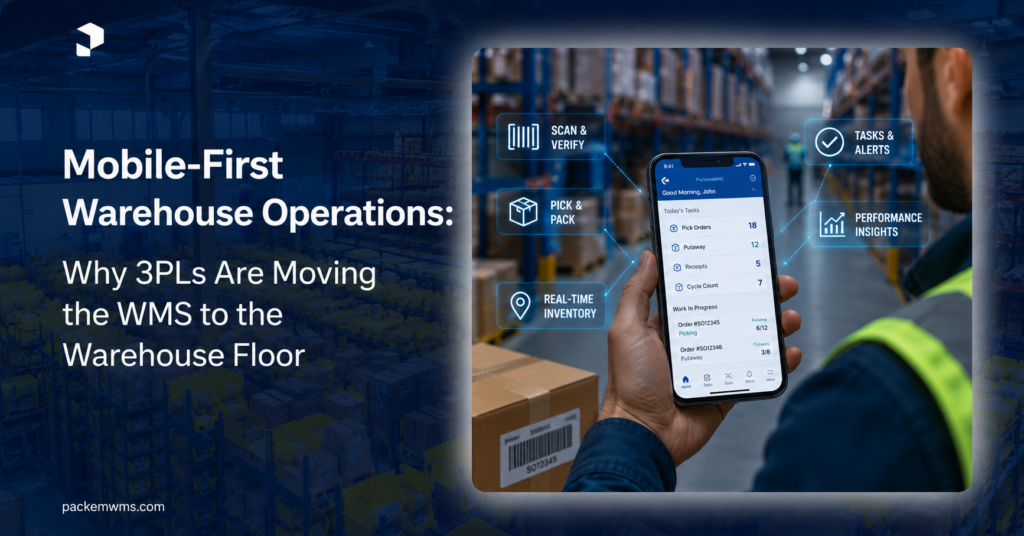
A mobile-first WMS puts the software directly into the hands of warehouse employees through smartphones, tablets, handheld scanners, or other mobile devices.
Instead of bringing warehouse activity to the software, the software goes with the worker.
Modern mobile WMS platforms are increasingly supporting receiving, putaway, picking, shipping, cycle counts, inventory lookup, and other workflows directly from phones and tablets.
For growing 3PLs, this shift can have a meaningful impact on speed, accuracy, visibility, and scalability.
What Is a Mobile-First Warehouse Operation?
A mobile-first warehouse operation is one where core warehouse workflows are designed to be performed directly from mobile devices rather than relying primarily on desktop terminals or paper processes.
A mobile-first WMS can allow warehouse workers to:
- Scan inventory
- Receive shipments
- Confirm quantities
- Assign inventory to locations
- Pick orders
- Move stock
- Perform cycle counts
- Process returns
- Check inventory
- Print or generate labels
- Confirm packing
- Update shipment status
The key isn’t simply having a mobile app.
The important question is:
Can the warehouse actually run its day-to-day workflows from the warehouse floor?
A mobile WMS connects physical warehouse activity with digital inventory records through devices and barcode scanning.
Why Mobile-First Matters for Growing 3PLs
A growing 3PL has a unique challenge.
More clients mean more inventory.
More inventory means more transactions.
More transactions mean more opportunities for errors.
And more warehouse activity means more pressure on employees to move quickly while maintaining accuracy.
Traditional workflows can create unnecessary friction.
For example:
Traditional workflow:
Receive product → write it down → walk to computer → enter data → print paperwork → return to warehouse → put inventory away.
Mobile-first workflow:
Receive product → scan → confirm quantity → assign location → put away.
The difference may appear small for one transaction.
Multiply it by hundreds or thousands of warehouse transactions, and the productivity impact becomes much more significant.
8 Ways Mobile-First Warehouse Operations Improve 3PL Performance
1. Real-Time Inventory Updates
One of the biggest advantages of mobile warehouse management is the ability to update inventory as the physical movement occurs.
When a worker scans an item during receiving, putaway, picking, or transfer, that transaction can immediately update the warehouse system.
This creates a direct connection between:
Physical inventory → Mobile scan → WMS → Digital inventory record
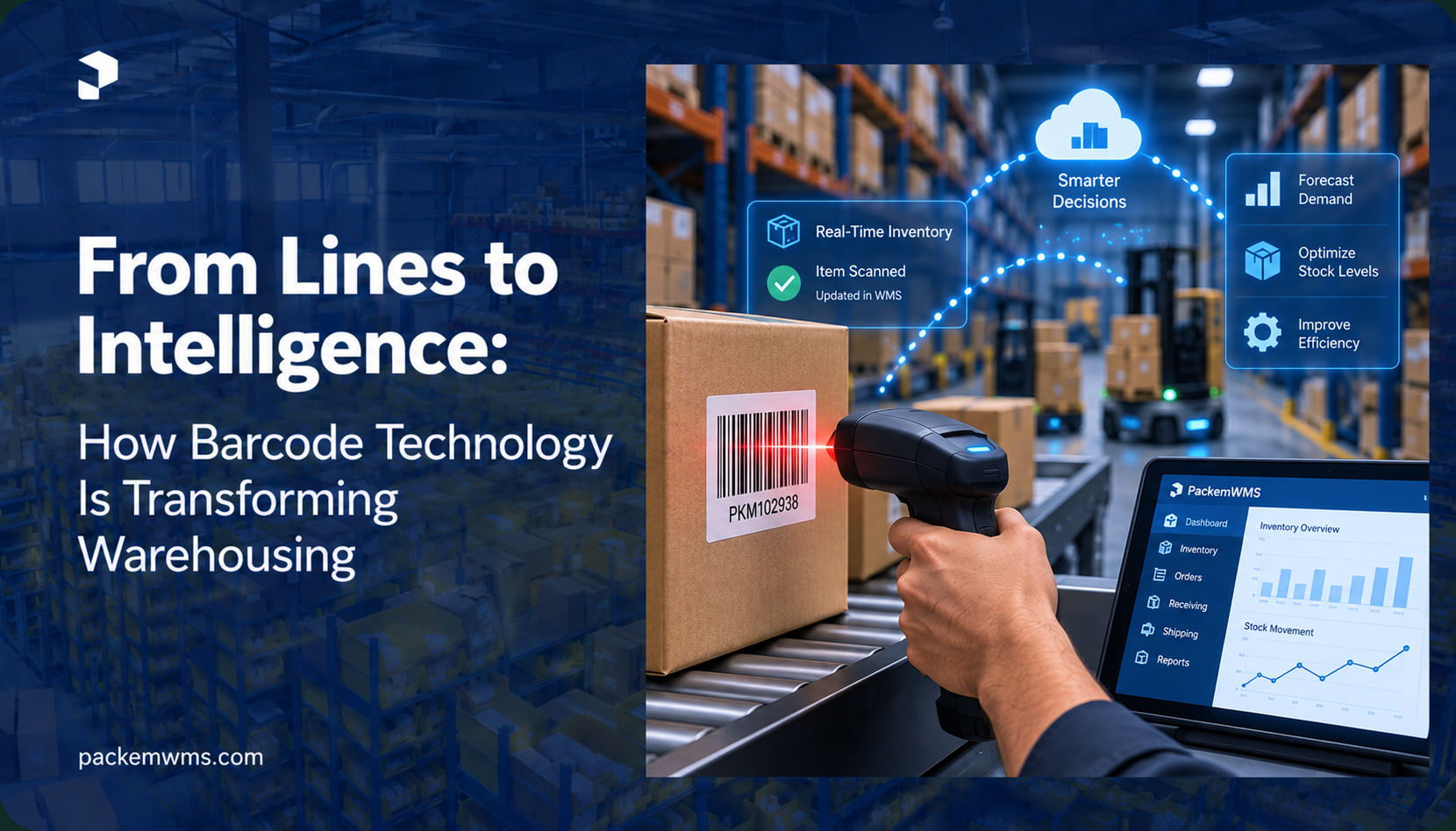
Barcode scanning is increasingly used to connect physical stock movements with digital inventory records and improve inventory accuracy.
For 3PLs, this can provide much better visibility into:
- On-hand inventory
- Available inventory
- Allocated inventory
- Inventory by location
- Inventory by client
- Inventory movements
- Receiving status
- Order status
Instead of asking, “What does the spreadsheet say?”, teams can work from the latest recorded warehouse activity.
2. Faster Receiving and Putaway
Receiving is often one of the first warehouse processes where manual workflows create bottlenecks.
A mobile-first workflow can guide employees through the process.
For example:
Step 1: Select the purchase order or inbound shipment.
Step 2: Scan the product.
Step 3: Confirm quantity.
Step 4: Record discrepancies.
Step 5: Assign a warehouse location.
Step 6: Complete putaway.
The worker doesn’t need to repeatedly leave the warehouse floor.
This can reduce unnecessary walking and data entry while creating a more standardized receiving process.
For a 3PL handling multiple clients, standardized receiving is particularly important because every inbound shipment becomes part of the inventory record that eventually affects fulfillment and billing.
3. More Accurate Picking
Picking errors are expensive.
A wrong SKU or quantity can lead to:
- Repacking
- Reshipping
- Returns
- Additional labor
- Client complaints
- Customer dissatisfaction
Mobile barcode scanning can add a validation step to the picking process.
Instead of relying entirely on memory or printed lists, the worker can scan the location and product before confirming the pick.
The WMS can validate:
Is this the correct location?
Is this the correct SKU?
Is this the correct quantity?
Is this the correct order?
That creates a simple but powerful principle:
Don’t ask the worker to remember what the system can verify.
4. Less Paper, Less Manual Data Entry
Paper-based warehouse processes create a hidden cost.
Someone eventually has to take the information on paper and enter it into a digital system.
That creates:
- Duplicate work
- Data-entry errors
- Delays
- Lost paperwork
- Poor visibility
Mobile-first operations remove many of these steps.
Instead of:
Paper → Desk → Spreadsheet → WMS
the workflow becomes:
Mobile device → WMS
That means information enters the system closer to the moment the physical activity happens.
Mobile WMS platforms are specifically being positioned as alternatives to paper-based workflows, with guided scanning processes for receiving, inventory, picking, and dispatch.
5. Faster Cycle Counting and Inventory Checks
Inventory counting can become increasingly difficult as a 3PL grows.
Workers need to know:
- What should be in the location?
- What is physically there?
- Is the quantity correct?
- Is the inventory assigned to the correct client?
- Are there discrepancies?
With a mobile device, workers can scan a location, scan products, enter quantities, and submit the count directly.
Managers can then review discrepancies without waiting for paper forms to be returned.
This can make cycle counting more practical as part of everyday warehouse operations rather than a major periodic exercise.
6. Better Warehouse Productivity
Mobile-first operations can also improve worker productivity by reducing unnecessary movement.
Consider a worker who has to walk across a warehouse simply to:
- Check an inventory quantity
- Confirm an order
- Enter a stock movement
- Update a receiving record
- Look up a SKU
Those small trips add up.
A mobile device keeps the information available where the work is happening.
For a growing warehouse, productivity isn’t only about asking employees to work faster.
It’s about removing unnecessary steps from the workflow.
7. Better Visibility for Warehouse Managers
Mobile operations don’t only benefit warehouse workers.
They also create better operational data for managers.
Every scan and completed task can contribute to a real-time picture of warehouse activity.
Managers can potentially monitor:
- Receiving progress
- Picking progress
- Pending tasks
- Inventory movements
- Cycle counts
- Order status
- Exceptions
- Worker productivity
That creates a more complete view of what is happening on the warehouse floor.
Instead of waiting for an end-of-day report, managers can make decisions based on current operational information.
8. Easier Scaling Across Clients and Warehouses
A growing 3PL needs repeatable processes.
If every warehouse employee follows a different method for receiving, picking, or transferring inventory, scaling becomes difficult.
Mobile workflows can provide standardized steps.
For example:
Receive → Scan → Validate → Put Away
Pick → Scan Location → Scan SKU → Confirm Quantity
Pack → Scan Order → Confirm Items → Complete Shipment
The same basic workflows can then be applied across teams, shifts, and potentially multiple warehouses.
That makes mobile technology particularly valuable for 3PLs that are moving from a small operation toward a larger multi-client or multi-site network.
Mobile WMS vs. Desktop WMS
A desktop WMS isn’t necessarily bad.
The issue is where different tasks need to happen.
| Desktop-Centered WMS | Mobile-First WMS |
| Designed around fixed terminals | Designed around warehouse workers |
| Workers return to computers | Workers carry the system with them |
| More manual data entry | More scanning and guided workflows |
| Paper may remain part of the process | Digital transactions happen on the floor |
| Less convenient for physical inventory tasks | Designed for receiving, picking and counting |
| Best for management tasks | Best for floor-level execution |
| Limited mobility | Mobile by design |
The best warehouse technology strategy may actually combine both.
Desktop: planning, configuration, reporting, billing, analytics and management.
Mobile: receiving, putaway, picking, counting, transfers and inventory execution.
What Devices Can a Mobile WMS Use?
Mobile-first doesn’t necessarily mean buying expensive dedicated hardware for every employee.
Depending on the WMS and warehouse environment, organizations can use:
Smartphones
Useful for smaller operations and occasional scanning.
Tablets
Useful when workers need a larger interface or more information.
Handheld Barcode Scanners
Useful for high-volume warehouse environments where fast scanning is critical.
Wearable Devices
Useful when workers need both hands available during warehouse tasks.
Bluetooth Scanners
Can turn compatible phones or tablets into practical scanning terminals.
The right hardware depends on warehouse volume, environment, scanning frequency, ergonomics, and budget.
The important thing is to select hardware around the workflow, rather than choosing devices first.
Don’t Forget About Warehouse Connectivity
A mobile warehouse is only useful if the devices can communicate reliably with the WMS.
Large warehouses can have:
- Metal racks
- Concrete walls
- Cold storage
- Loading docks
- Outdoor areas
- Dead zones
- Network congestion
That means connectivity should be considered part of the mobile WMS strategy.
Some modern mobile WMS solutions provide offline capabilities and synchronize transactions when connectivity is restored.
For warehouse operators, this can be particularly important.
A temporary Wi-Fi problem shouldn’t automatically become a warehouse-wide operational problem.
Before implementing a mobile WMS, test connectivity across:
- Receiving
- Storage aisles
- Picking zones
- Packing stations
- Shipping docks
- Yard areas
- Remote or overflow locations
Mobile-First Doesn’t Mean Mobile-Only
There is an important distinction.
A warehouse manager shouldn’t necessarily manage an entire WMS from a phone.
Some tasks are simply better suited to larger screens.
For example:
Mobile:
- Scan inventory
- Pick orders
- Receive goods
- Perform cycle counts
- Move stock
Desktop:
- Configure clients
- Create billing rules
- Analyze KPIs
- Manage integrations
- Review reports
- Configure warehouses
A strong WMS should provide the right interface for the right job.
How Mobile-First Operations Support AI
Mobile-first warehouse operations also create an important foundation for AI-powered warehouse analytics.
Why?
Because every mobile transaction creates structured operational data.
For example:
Scan → Location → SKU → Quantity → Worker → Time → Task → Order
Over thousands of transactions, this can reveal patterns.
AI and analytics can potentially use that information to identify:
- Picking bottlenecks
- Slow-moving inventory
- High-traffic warehouse zones
- Unusual inventory movements
- Productivity trends
- Potential SLA issues
- Capacity constraints
This creates an important technology progression:
Mobile execution → Better data → Better analytics → AI-powered insights
That is why mobile-first operations aren’t simply about replacing paper with smartphones.
They’re about creating a more connected warehouse.
How 3PLs Can Start Moving Toward Mobile-First Operations
You don’t need to transform the entire warehouse overnight.
Start with the workflows where mobility creates the most value.
Step 1: Identify manual processes
Find where employees still use:
- Paper
- Spreadsheets
- Fixed terminals
- Manual data entry
Step 2: Prioritize high-volume workflows
Start with:
- Receiving
- Picking
- Inventory counting
- Putaway
- Transfers
Step 3: Introduce barcode scanning
Standardize SKU and location identification.
Step 4: Connect scanning to the WMS
A scan should do more than capture a barcode.
It should update the relevant warehouse transaction.
Step 5: Measure the results
Track:
- Picking accuracy
- Receiving time
- Inventory accuracy
- Orders processed
- Employee productivity
- Data-entry time
Step 6: Expand
Once the workflow works, extend mobile operations to additional processes and warehouse locations.
What Should 3PLs Look for in a Mobile WMS?
Before choosing a mobile warehouse management system, evaluate more than whether it has an app.
Ask:
Can workers scan directly into warehouse workflows?
Scanning should be integrated with actual receiving, picking, putaway, counting, and shipping processes.
Does inventory update in real time?
The mobile workflow should connect directly to the central inventory system.
Is the interface designed for warehouse workers?
A desktop interface simply squeezed onto a phone isn’t necessarily mobile-first.
Does it support multiple clients?
This is essential for 3PL operations.
Does it support multiple warehouses?
Important for growing logistics providers.
Can it work in poor connectivity?
Offline or resilient synchronization can be valuable for warehouses with unreliable coverage.
Does it integrate with the rest of your technology stack?
Your mobile workflow should not create another isolated data silo.
Is it easy to train employees?
A complicated mobile interface can undermine the benefits of mobility.
The Future of Warehouse Operations Is Moving With the Worker
The warehouse of the future isn’t necessarily a warehouse without people.
It’s a warehouse where people have better tools.
Mobile devices can put inventory information, task instructions, barcode validation, and warehouse workflows directly in the hands of the people doing the work.
For 3PLs, this can mean:
Less paper.
Less manual entry.
Fewer unnecessary trips.
Better inventory accuracy.
Faster execution.
More real-time visibility.
And as mobile transactions generate better operational data, they can also create the foundation for advanced analytics and AI.
The real transformation isn’t “put a WMS on a phone.”
It’s:
Put the right information at the right place, at the exact moment the warehouse worker needs it.
Final Thoughts
As 3PLs grow, warehouse complexity grows with them.
More clients mean more inventory.
More inventory means more movements.
More movements mean more transactions.
And more transactions make manual processes increasingly difficult to scale.
A mobile-first warehouse operation addresses that problem by bringing warehouse management directly to the floor.
For growing 3PLs, the combination of mobile WMS, barcode scanning, real-time inventory, standardized workflows, analytics, and AI can create a warehouse operation that is faster, more accurate, and easier to scale.
The goal isn’t to make the warehouse more complicated with technology.
It’s to make the work simpler for the people doing it.
Ready to put your WMS where the work happens?
PackemWMS helps growing 3PLs manage inventory, orders, warehouses, clients, billing, and warehouse operations from one connected platform.
With the right WMS foundation, your team can spend less time updating systems and more time moving inventory.
Explore PackemWMS and build a warehouse operation designed to scale.