There Isn’t a Magic Order Volume That Means You Need a WMS
There Isn’t a Magic Order Volume That Means You Need a WMS
There is a common assumption in logistics:
“We’ll implement a WMS once we’re big enough.”
But what does “big enough” actually mean?
Is it 1,000 orders a month? 5,000? 50,000?
There isn’t a universal number.
A 3PL processing 500 orders a month can have serious operational problems if it manages multiple clients, thousands of SKUs, complex billing, and frequent inventory movements.
Meanwhile, another warehouse processing several thousand orders may still operate efficiently with relatively simple systems.
The better question is:
Has your warehouse become too complex to manage accurately and efficiently with your current tools?
For growing 3PLs, that’s usually the real trigger for implementing a warehouse management system (WMS).
What Is a WMS?
A Warehouse Management System (WMS) is software designed to manage and optimize warehouse operations, from receiving inventory through storage, picking, packing, shipping, and returns.
For a 3PL, a modern WMS can also provide capabilities for:
- Multi-client inventory management
- Warehouse and location management
- Barcode scanning
- Order management
- Receiving and putaway
- Picking and packing
- Returns management
- Client portals
- Billing and invoicing
- Warehouse reporting
- Inventory analytics
- Ecommerce and ERP integrations
Instead of managing warehouse information across spreadsheets, emails, disconnected applications, and paper processes, a WMS creates a centralized operational system.
The result isn’t simply better organization.
It’s better visibility and control as the business grows.
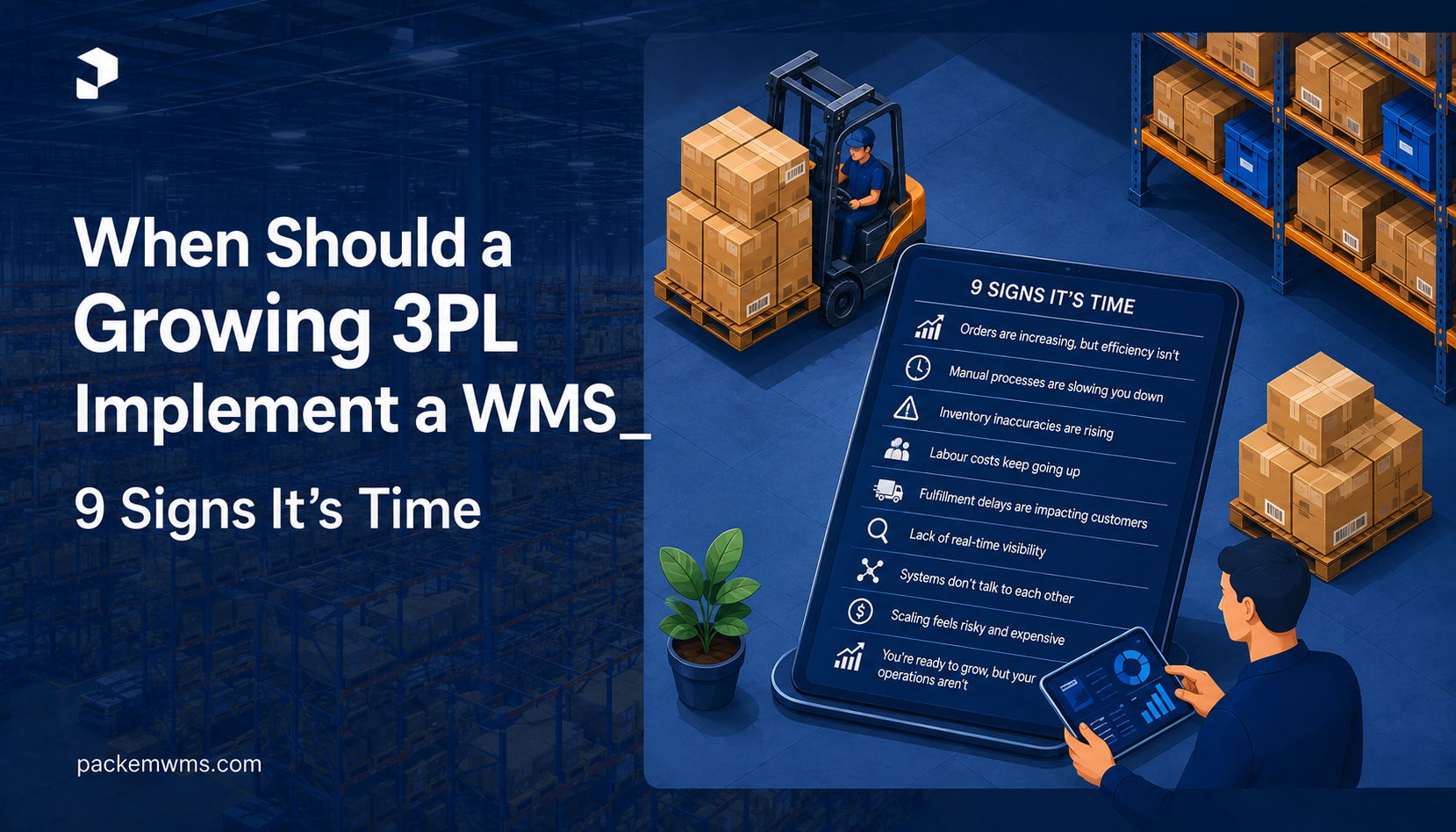
9 Signs Your Growing 3PL Needs a WMS
1. Inventory Errors Are Becoming More Frequent
One of the earliest warning signs is inventory accuracy.
You may start noticing:
- Stock counts don’t match physical inventory
- Items appear available when they’re actually out of stock
- Products are stored in unexpected locations
- Inventory adjustments are becoming common
- Staff spend significant time investigating discrepancies
A small number of errors may be manageable when you have one client and a limited number of SKUs.
But as your 3PL grows, inventory errors become increasingly expensive.
A modern WMS can provide real-time inventory visibility across clients, warehouses, locations, bins, and SKUs.
Barcode-based workflows can also reduce manual data entry and help ensure that the right inventory moves to the right location.
If your team is spending more time fixing inventory problems than managing inventory, it’s probably time to evaluate a WMS.
2. Your Warehouse Is Running on Spreadsheets
Spreadsheets aren’t inherently bad.
They’re inexpensive, flexible, and useful for many early-stage businesses.
The problem starts when your warehouse depends on them for everything.
You might have separate spreadsheets for:
- Inventory
- Orders
- Receiving
- Picking
- Client information
- Storage
- Billing
- Returns
- Warehouse locations
Now imagine multiple employees editing different versions of those files.
The result can be:
- Duplicate information
- Outdated data
- Manual errors
- Version conflicts
- Slow reporting
- Limited visibility
As operational complexity increases, spreadsheets can become a bottleneck.
A WMS replaces disconnected operational spreadsheets with a centralized system where warehouse activity is recorded as it happens.
3. You’re Managing Multiple Clients
Managing one client’s inventory is relatively straightforward.
Managing 10, 20, or 50 clients is a different challenge.
A 3PL needs to know:
- Who owns each SKU?
- Which inventory belongs to which client?
- What orders belong to which account?
- What storage fees apply?
- What handling rates apply?
- Which client-specific rules should warehouse staff follow?
- How much inventory is currently available for each client?
A WMS built for 3PLs can separate client inventory while allowing the warehouse operator to manage everything from a centralized platform.
This becomes particularly important when clients share warehouse space.
If adding another client creates significantly more administrative work, your current system may not be scalable.
4. Your Team Can’t See Real-Time Inventory
Imagine a client calls and asks:
“How many units of SKU-4821 do we have available right now?”
Your team shouldn’t need to:
- Open a spreadsheet
- Check yesterday’s receiving
- Ask the warehouse team
- Review recent orders
- Check pending shipments
- Manually calculate the remaining quantity
A modern WMS can provide a real-time view of inventory availability.
Depending on the system, users can see:
- On-hand inventory
- Available inventory
- Allocated inventory
- Incoming inventory
- Damaged inventory
- Inventory by location
- Inventory by client
For 3PLs, this visibility can become a competitive advantage.
5. Picking and Receiving Are Getting Slower
Growth often exposes inefficiencies in warehouse workflows.
At first, employees may know where everything is.
But as inventory increases, relying on memory becomes increasingly difficult.
You may start seeing:
- Longer picking times
- More walking
- Incorrect picks
- Receiving delays
- Putaway bottlenecks
- Packing mistakes
- Orders waiting for warehouse processing
A WMS can standardize workflows for receiving, putaway, picking, packing, and shipping.
Barcode scanning and structured warehouse locations can also reduce unnecessary movement and improve accuracy.
The goal isn’t simply to make employees work faster.
It’s to make the process more predictable and repeatable.
6. Your Clients Are Constantly Asking for Updates
A growing 3PL doesn’t just manage inventory.
It manages customer expectations.
As your client base grows, you’ll receive questions such as:
- Where is my inventory?
- How many units do I have?
- Which orders shipped today?
- What’s still pending?
- How many returns did we receive?
- How much warehouse space am I using?
- Can you send me a report?
If your team has to manually answer these questions, customer service costs increase as you scale.
A WMS with a client portal can give customers direct visibility into relevant information.
That means fewer emails, fewer phone calls, and less time spent generating manual reports.
7. Your Billing Process Is Becoming a Headache
This is one of the most overlooked WMS warning signs for 3PLs.
3PL billing can involve many variables:
- Storage
- Receiving
- Picking
- Packing
- Returns
- Pallet handling
- Special handling
- Shipping
- Value-added services
When billing is handled manually, it’s easy to miss billable activities.
For example, a client may have received 300 pallets, generated 4,000 picks, processed 120 returns, and used additional storage space.
If your billing process doesn’t capture these activities accurately, revenue can leak through the cracks.
A WMS with integrated 3PL billing can connect warehouse activity to billing rules.
This can help improve:
- Billing accuracy
- Revenue capture
- Invoice generation
- Client transparency
- Reconciliation
If your warehouse knows what happened but your billing system doesn’t, that’s a problem worth solving.
8. You’re Adding More Warehouse Locations
One warehouse is relatively easy to manage.
Two or three introduce another layer of complexity.
Now you need to know:
- Which warehouse has inventory?
- Which location should fulfill the order?
- Where should incoming inventory be stored?
- How should stock be transferred?
- Which warehouse has available capacity?
- How should inventory be reported across locations?
A multi-warehouse WMS can provide a centralized view of inventory while maintaining individual warehouse structures.
This becomes especially valuable when a 3PL begins expanding geographically.
Implementing a WMS before opening another warehouse can be much easier than trying to introduce one after the operation has already become fragmented.
9. Your Growth Is Being Limited by Operations
This is perhaps the biggest sign of all.
Imagine you have enough sales opportunities to double your client base—but you’re hesitant to accept them because your warehouse team is already overwhelmed.
That’s an operational scalability problem.
You may have:
- Enough warehouse space
- Enough customers
- Enough demand
- Enough capital
But your processes can’t keep up.
A WMS can help standardize operations so that growth doesn’t require adding the same amount of administrative effort.
The goal isn’t to eliminate people.
It’s to allow your team to spend more time on higher-value warehouse activities instead of repetitive data entry and manual reconciliation.
So, How Big Does a 3PL Need to Be Before Implementing a WMS?
There is no universal threshold.
Instead of looking only at order volume, evaluate your operational complexity.
Consider these factors:
| Factor | Low Complexity | Increasing Complexity |
| Clients | 1–2 | Multiple clients |
| SKUs | Limited | Thousands |
| Warehouses | One | Multiple |
| Orders | Predictable | Highly variable |
| Inventory | Simple | Multi-client |
| Billing | Simple | Activity-based |
| Locations | Basic | Bins/zones/complex layouts |
| Reporting | Occasional | Daily/real-time |
| Integrations | Few | Multiple systems |
| Returns | Low | Significant volume |
The more complexity you have, the more valuable a WMS becomes.
What Happens If You Wait Too Long?
Waiting until your warehouse is already struggling can make WMS implementation harder.
You may eventually reach a point where:
- Inventory data is unreliable
- Employees have developed inconsistent processes
- Clients expect manual reporting
- Historical data is difficult to clean
- Billing rules are scattered across spreadsheets
- Warehouse locations aren’t standardized
- Staff resist process changes
- Growth has already slowed
At that point, implementing a WMS becomes an urgent operational project rather than a strategic improvement.
It’s generally better to implement a WMS before your current processes become impossible to scale.
What Should a Growing 3PL Look for in a WMS?
Not every WMS is designed for the same type of warehouse.
For a growing 3PL, prioritize capabilities such as:
Multi-Client Management
Manage multiple customers, inventory ownership, orders, and warehouse activity from one platform.
Inventory Management
Track inventory by client, SKU, warehouse, location, and status.
Receiving & Putaway
Standardize inbound workflows and organize inventory efficiently.
Barcode & LPN Management
Reduce manual entry and improve inventory accuracy.
Picking & Packing
Create consistent workflows that can scale with order volume.
Returns Management
Track returned inventory and its next disposition.
Client Portal
Give customers visibility into inventory, orders, and warehouse activity.
Billing & Invoicing
Connect warehouse activities with client billing rules.
Integrations
Connect your WMS with ecommerce platforms, ERPs, shipping systems, accounting tools, and other applications.
Reporting & Analytics
Monitor warehouse performance and identify operational bottlenecks.
Cloud WMS vs. Traditional Enterprise WMS
Growing 3PLs often make another mistake:
They assume that the only alternative to spreadsheets is an expensive enterprise WMS.
That’s no longer necessarily true.
Modern cloud-based WMS platforms can provide sophisticated warehouse capabilities without requiring massive infrastructure or lengthy implementation projects.
For smaller 3PLs, the ideal system should be:
- Easy to deploy
- Simple to learn
- Scalable
- Cloud-based
- Integration-friendly
- Transparent in pricing
- Designed for multi-client operations
- Capable of supporting multiple warehouses
You shouldn’t have to buy enterprise-level complexity before your business needs it.
When Should You NOT Implement a WMS?
A WMS isn’t automatically the right answer for every warehouse.
If you have:
- Very low inventory complexity
- One client
- Few SKUs
- Minimal order volume
- Simple workflows
- No significant growth plans
- Very little warehouse activity
then a sophisticated WMS may not provide enough value yet.
The objective isn’t to implement technology because everyone else is doing it.
The objective is to implement technology when it solves a real operational problem.
How to Know If a WMS Will Pay for Itself
Before purchasing a WMS, calculate your current operational costs.
Consider how much time your team spends on:
- Inventory reconciliation
- Manual order entry
- Picking errors
- Receiving
- Client reporting
- Billing
- Invoice reconciliation
- Spreadsheet management
- Inventory searches
- Correcting warehouse mistakes
Then estimate the cost of those activities.
For example:
10 hours/week spent on manual reporting × employee cost × 52 weeks
Add the estimated cost of:
- Inventory errors
- Missed billing
- Shipping mistakes
- Customer service time
- Lost productivity
This gives you a baseline for evaluating the potential ROI of warehouse management software.
For growing 3PLs, the value of a WMS isn’t only about labor savings.
It can also come from better inventory accuracy, improved billing, higher client retention, faster onboarding, and the ability to accept more business without proportionally increasing administrative workload.
The Best Time to Implement a WMS Is Before You Desperately Need One
The right time to implement a WMS isn’t necessarily when you reach a specific number of orders.
It’s when your operational complexity starts growing faster than your ability to manage it manually.
If you’re experiencing inventory discrepancies, spreadsheet dependency, slow picking, complex multi-client operations, billing problems, growing reporting demands, or plans for additional warehouses, it’s probably time to start evaluating your options.
And you don’t need to wait until you’re a massive 3PL.
A modern WMS can be most valuable precisely when you’re at the stage where you need to scale without letting operational complexity scale at the same rate.
Ready to see if your 3PL has outgrown its current system?
PackemWMS is built for growing 3PLs that need better control over inventory, orders, warehouses, clients, billing, and day-to-day operations—without taking on unnecessary enterprise complexity.
Explore PackemWMS and see what a modern WMS can do for your warehouse.