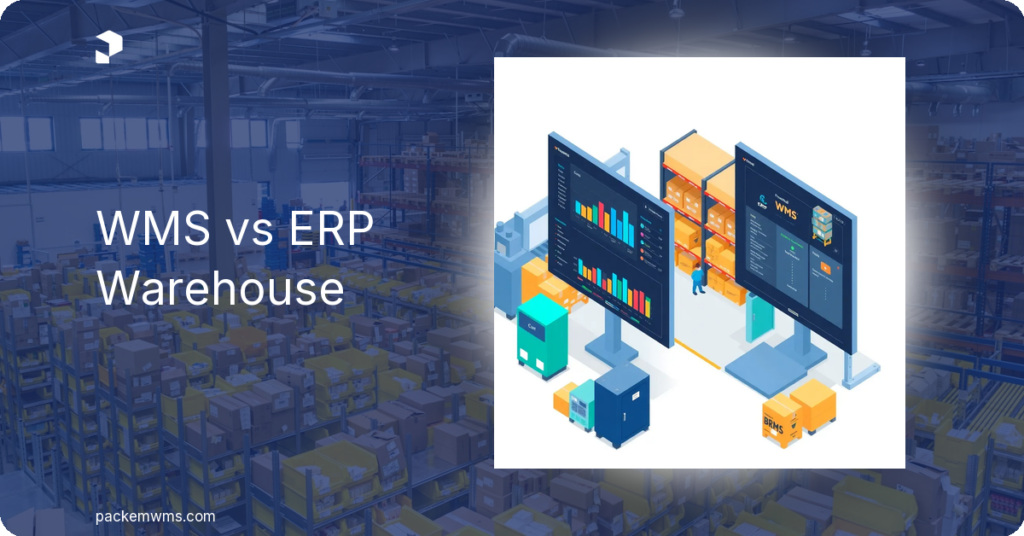
WMS vs ERP: which does your warehouse actually need?
Last Updated: May 6, 2026
The WMS vs ERP question trips up a lot of growing operations. A warehouse management system (WMS) focuses exclusively on what happens inside your four walls, receiving, picking, lot tracking, and fulfillment. An ERP (enterprise resource planning) covers your entire business, finance, HR, procurement, manufacturing, and sometimes warehousing too. Both solve real problems. But for small to mid-size 3PLs and food manufacturers, they are not interchangeable, and choosing the wrong one is an expensive mistake.
This guide breaks down the difference between WMS and ERP, where they overlap, and the situations where each is the right call. If you already use QuickBooks and are wondering whether you need to graduate to NetSuite or Dynamics 365, read the WMS + QuickBooks section carefully, it may save you a six-figure decision.
What a WMS does (and what it doesn’t)
A WMS is purpose-built for warehouse operations. It manages the physical flow of goods from the moment a shipment arrives at your dock until it ships out to a customer. Here is what a modern cloud WMS handles:
- Receiving and putaway, scan inbound shipments, generate pallet labels, direct staff to storage locations
- Inventory tracking, real-time counts by location, lot number, serial number, and expiration date
- Picking and packing, batch picking, wave picking, barcode verification, and packing slip generation
- Shipping, carrier rate shopping, label printing, tracking updates
- Lot and serial number tracking, FIFO and FEFO rotation, expiration alerts, full traceability for recalls or audits
- 3PL billing, customizable rate cards per client, automated invoice generation, QuickBooks sync
- Client portal, real-time inventory and order visibility for 3PL clients
For a deeper look at how these capabilities work together, see our complete guide to warehouse management system features.
What a WMS does not do: A WMS is not an accounting system. It does not run payroll, manage HR records, consolidate multi-entity financial statements, or handle complex manufacturing resource planning (MRP). It also does not manage customer relationships (CRM) or broader supply chain planning beyond your warehouse walls. For those needs, you look at ERP, or you connect your WMS to the accounting software you already have.
What an ERP does (and what it doesn’t)
An ERP is a company-wide system of record. Platforms like NetSuite, Microsoft Dynamics 365 Business Central, SAP, Sage, and Oracle ERP are built to connect every department under one database: accounting, inventory, sales orders, purchasing, HR, manufacturing, and reporting.
Here is what a full ERP handles:
- General ledger, accounts payable/receivable, and financial consolidation across multiple entities and currencies
- Manufacturing resource planning (MRP), production scheduling, bill of materials, capacity planning
- Procurement and vendor management
- Human resources and payroll (in many ERP suites)
- CRM and sales pipeline (in some ERP configurations)
- Warehouse management, ERPs include warehouse modules, though these are often less specialized than a standalone WMS
The warehouse management module inside a major ERP is functional for basic operations. However, according to Gartner’s WMS market research, companies with complex warehouse workflows, lot tracking, multi-client billing, pallet-level tracking, consistently find that standalone WMS platforms outperform ERP warehouse modules on operational depth and ease of use.
What an ERP does not do well for small operations: ERPs are designed for complexity at scale. A 10-user NetSuite implementation starts at roughly $1,000–5,000/month for the base license, plus $999–2,000/month for the WMS add-on, plus $129–199 per user per month. Microsoft Dynamics 365 Business Central starts around $70–100 per user per month, with total implementation costs for warehouse-heavy deployments often running $50,000–$200,000 in professional services. Implementation timelines for enterprise ERP range from six to 18 months, sometimes longer.
That price tag and timeline are appropriate if your business genuinely needs multi-entity accounting, MRP, and global supply chain management. For a 3PL running 5,000–50,000 orders per month on QuickBooks, they are not.
Where WMS and ERP overlap
Understanding the difference between WMS and ERP gets complicated in the middle ground. Both systems touch:
Inventory management: Both track stock quantities. ERPs do this at a financial valuation level. WMS systems do it at an operational level, bin location, lot number, expiration date, LPN (License Plate Number) for pallet tracking. The WMS is always more granular about where inventory physically is.
Order management: Both process sales orders. A WMS receives the order and manages fulfillment. An ERP processes the order financially and may trigger fulfillment workflows. In most integrated setups, the ERP handles order entry and billing while the WMS handles physical execution.
Purchasing and receiving: ERPs manage purchase orders and vendor payments. WMS systems manage the physical receipt, scanning items, confirming quantities, generating pallet labels, directing putaway. These workflows connect at the PO level but operate in different domains.
For operations that run both systems, the integration between WMS and ERP is a standard, well-documented connection. Our WMS integration guide walks through how to connect warehouse and inventory management systems effectively.
The WMS vs ERP comparison
| WMS | ERP | |
|---|---|---|
| Primary scope | Warehouse operations | Full business management |
| Who it’s for | 3PLs, fulfillment centers, food manufacturers, distributors | Mid-market to enterprise companies needing unified financial + operational management |
| Price range | $750–1,800/month (PackemWMS) | $5,000–$50,000+/month (NetSuite, Dynamics, SAP, Oracle) |
| Implementation time | 2–5 weeks | 6–18 months |
| Complexity | Moderate, warehouse staff learn mobile scanning in under 10 minutes | High, dedicated IT team, project manager, and consulting firm typically required |
| Lot/expiration tracking | Core feature, FIFO/FEFO, expiration alerts, full traceability | Available in some ERP modules but often less operationally detailed |
| 3PL billing | Built-in, auto-generates invoices per client, syncs to QuickBooks | Requires customization or add-on module |
| Integrations | Connects to QuickBooks, Shopify, WooCommerce, Amazon, EDI, EasyPost | Connects to most systems; often requires middleware or professional services |
| Best for | Companies that need warehouse depth without enterprise overhead | Companies that have outgrown QuickBooks and need multi-entity financial consolidation |
When you need a WMS only
A WMS is the right choice when warehouse operations are your bottleneck, not your financial management complexity. Specifically:
You are a 3PL managing multiple clients. Your accounting is straightforward (QuickBooks handles it), but you need to track inventory separately for each client, generate client-specific invoices based on storage fees and pick/pack activity, and give clients a portal to see their own inventory in real time. A full ERP adds financial complexity you don’t need. A 3PL warehouse management software purpose-built for this workflow handles it in hours per month instead of days.
You are a food manufacturer or food distributor. Lot traceability, FIFO/FEFO rotation, expiration date management, and recall readiness are non-negotiable. A WMS with food-grade lot tracking solves these requirements. For smaller food operations, a full ERP is months of implementation and hundreds of thousands of dollars, often more than the compliance problem justifies. See how PackemWMS handles food manufacturing inventory management with built-in lot tracking and expiration alerts.
You are growing but not at enterprise scale. Under $20–30M in revenue with a single legal entity and QuickBooks working fine for accounting? A WMS keeps your warehouse running accurately while QuickBooks handles your books. That is a proven, affordable combination that many 3PLs and distributors use for years before genuinely needing ERP.
You need to go live fast. PackemWMS implementations take 2–5 weeks. Your team is operational in under a month. ERP implementations routinely run six to 18 months, and overruns are common. If a client is waiting on you, or Q4 peak season is 90 days away, the WMS timeline wins.
When you need a full ERP
To be direct: ERPs exist because some operations genuinely need them. You are a candidate for a full ERP when:
You have outgrown QuickBooks’ financial capabilities. Multi-entity consolidation, international currency, complex intercompany transactions, and advanced revenue recognition are ERP territory. QuickBooks handles single-entity accounting well. When you have multiple subsidiaries, international operations, or complex financial reporting requirements, platforms like NetSuite or Dynamics 365 BC are the right tools.
You need manufacturing resource planning. If you are scheduling production runs, managing bills of materials across a factory floor, tracking work-in-progress inventory through manufacturing stages, and planning raw material procurement against capacity, that is MRP, and that is ERP territory. A WMS manages finished goods in a warehouse. It is not a production planning system.
Your organization needs unified HR, CRM, and finance. When you need one system of record across every department, human resources, sales pipeline, purchasing, and accounting, the integration and data consistency benefits of a unified ERP platform justify the cost.
You are above $50–100M in revenue. At that scale, the ROI on ERP consolidation typically makes sense. The implementation cost and complexity are proportional to the operational complexity you are managing. Deposco, for example, states explicitly that their target customers are companies with $50M+ in annual revenue, because below that threshold, the ERP overhead rarely pays for itself.
WMS plus QuickBooks: an affordable ERP alternative for most warehouses
For the majority of small to mid-size 3PLs and food manufacturers, the practical answer to the WMS vs ERP question is: WMS + QuickBooks beats a full ERP.
Here is how the combination works:
- PackemWMS handles all warehouse operations, receiving, putaway, lot tracking, picking, packing, shipping, client billing, and the white-label client portal
- QuickBooks handles your accounting, invoices, bills, payroll, bank reconciliation, and financial reporting
- The integration connects them automatically, PackemWMS generates invoices based on your rate cards and syncs them directly to QuickBooks, no manual entry required
The result: warehouse operations and accounting stay in sync without the cost or complexity of a full ERP. PackemWMS starts at $750/month with a $500–1,000 one-time implementation fee. QuickBooks Online runs $30–200/month depending on your plan. Your total cost for both is $800–2,000/month, a fraction of enterprise ERP pricing, and you are live in 2–5 weeks.
For food manufacturers specifically, lot tracking with FIFO/FEFO rotation and expiration date alerts inside PackemWMS satisfies the same traceability requirements that food ERPs market at 10x the cost. You do not need a food ERP to achieve food safety compliance at the small to mid-size manufacturer level. You need a WMS that tracks lots properly, and syncs the financial side to QuickBooks.
If you want to understand how a WMS integrates with your existing systems, our guide to integrating warehouse and inventory management systems covers the full process.
Decision framework: which fits your warehouse?
Work through these questions to get a clear answer:
1. Do you need financial consolidation across multiple legal entities?
– Yes → Consider ERP
– No → WMS + QuickBooks is likely sufficient
2. Do you need manufacturing resource planning (MRP) or production scheduling?
– Yes → ERP handles this; WMS does not
– No → WMS covers warehouse operations
3. Is your accounting currently handled by QuickBooks (or similar)?
– Yes, and it is working fine → WMS integrates with QuickBooks; no ERP needed
– No, QuickBooks is breaking down → Evaluate whether ERP accounting or a more capable accounting platform (without full ERP) is the fix
4. What is your primary operational pain point?
– Inventory accuracy, picking errors, lot tracking, client billing, client visibility → WMS
– Financial reporting, multi-entity consolidation, HR management, production planning → ERP
5. What is your go-live timeline?
– Weeks → WMS (PackemWMS: 2–5 weeks)
– 6–18 months is acceptable → ERP may be on the table if the other criteria fit
6. What is your budget?
– Under $2,000/month for software → WMS + QuickBooks
– $5,000–$50,000+/month is in scope → Enterprise ERP is feasible
Most 3PLs and food manufacturers reading this land in the WMS column. If you answered ERP on two or more questions, book a call with a consultant who can scope an ERP project properly, the investment justifies expert guidance.
If you landed in the WMS column, learn what a WMS is and then schedule a PackemWMS demo to see how it handles your specific workflows.
Frequently asked questions
Is WMS part of ERP?
A WMS can be part of an ERP, but it does not have to be. Most major ERP platforms, NetSuite, Microsoft Dynamics 365 BC, SAP, Sage, Oracle ERP, include a warehouse management module. However, those modules are typically less operationally deep than a standalone WMS. Companies with complex warehouse workflows (multi-client billing, lot tracking, pallet-level LPN tracking, food compliance) usually find that a dedicated WMS outperforms the ERP warehouse module and costs less to configure.
Can WMS replace ERP?
A WMS replaces the warehouse operations component of an ERP. It does not replace ERP accounting, HR, CRM, or manufacturing planning. For many small to mid-size 3PLs and food manufacturers, a WMS paired with QuickBooks covers everything they actually need, which means they do not need an ERP at all. For companies with multi-entity financials, MRP requirements, or enterprise-level complexity, an ERP is not replaceable by a WMS alone.
Which is cheaper, WMS or ERP?
A dedicated WMS is significantly less expensive than a full ERP. PackemWMS runs $750–1,800/month with a one-time $500–1,000 implementation fee, and go-live takes 2–5 weeks. Enterprise ERPs like NetSuite typically start at $999–5,000/month for the base license plus additional module and per-user fees; full implementations often cost $30,000–$500,000 in total project cost including professional services. Microsoft Dynamics 365 Business Central and SAP follow similar cost patterns at scale.
Do I need both WMS and ERP?
Some mid-market and enterprise companies run both, the ERP handles financial management and the WMS handles warehouse operations, connected via integration. This is common above $30–50M in revenue where operational complexity justifies both. Below that threshold, WMS + QuickBooks typically handles both sets of needs at a fraction of the cost. If you are evaluating both, start with the WMS and use QuickBooks for accounting until the financial complexity genuinely demands ERP.
What is the difference between WMS and ERP for food manufacturers?
Food manufacturers often search for “food ERP” because they need lot traceability, FIFO/FEFO rotation, expiration date management, and recall readiness. A WMS with food-grade lot tracking delivers all of those compliance features. A full food ERP (NetSuite with Food & Beverage module, Microsoft Dynamics 365, or Sage X3) adds financial management, MRP, and production planning on top, at dramatically higher cost and implementation time. Small to mid-size food manufacturers who are already on QuickBooks and primarily need warehouse and inventory compliance rarely need to graduate to a full food ERP. A WMS with lot tracking solves the problem for $750–1,800/month instead of $5,000–$30,000+/month.
The bottom line on WMS vs ERP
The difference between WMS and ERP is scope, not quality. ERPs are the right tool for complex, multi-department operations at mid-market scale. WMS systems are the right tool for warehouse-intensive businesses that need operational depth without enterprise overhead.
For most 3PLs managing 10–100+ clients and for food manufacturers who need lot traceability and expiration tracking, WMS + QuickBooks delivers the outcomes they are looking for at 10–20% of the ERP cost, and goes live in weeks instead of months.
If you are trying to answer the question of whether you need a WMS or ERP, chances are a WMS is what you need right now. Request a PackemWMS demo and see how it handles your specific warehouse, billing, and compliance requirements in 30 minutes.