Last updated: October 13, 2026 · By Sam Ranjbari, founder of Packem
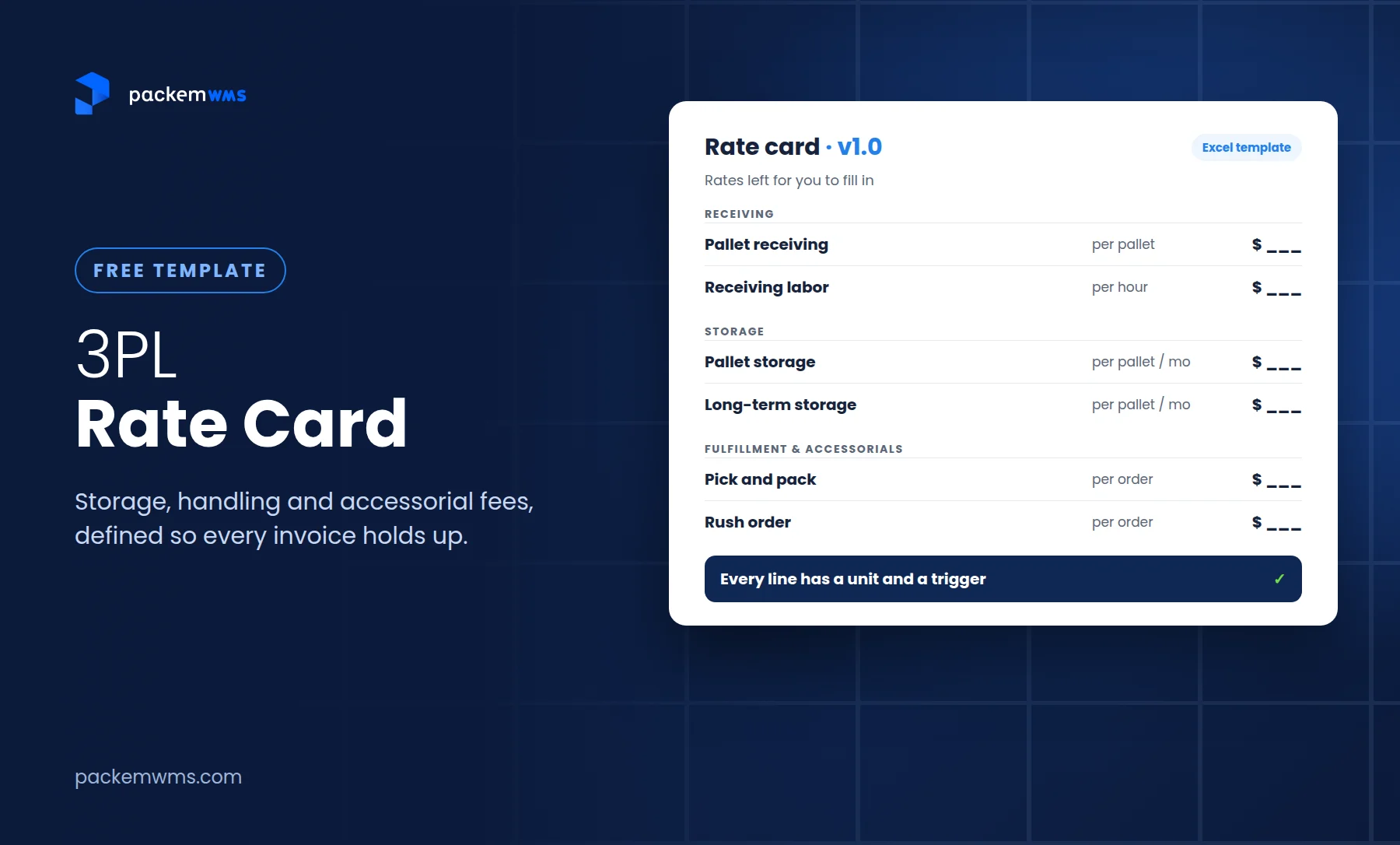
A 3PL rate card is the price list a third-party warehouse gives each client. It lists every service the 3PL charges for (receiving, storage, pick and pack, packaging, returns, value-added services and accessorial fees), the unit each one is billed by, and exactly when the charge applies. A good rate card is also the rulebook your invoices are checked against.
That last part matters more every year. Brands now audit their 3PL invoices line by line against the rate card, and posts walking through those audits are common on Reddit. If a line on your card is vague, it becomes a dispute. If a service isn’t on your card, you either do it for free or have an awkward conversation.
This guide walks through what belongs on a 3PL rate card, how to price each line, why billing method matters as much as the rate, the accessorials most 3PLs forget, and how to keep the card and the invoice in sync. It comes with a free template.
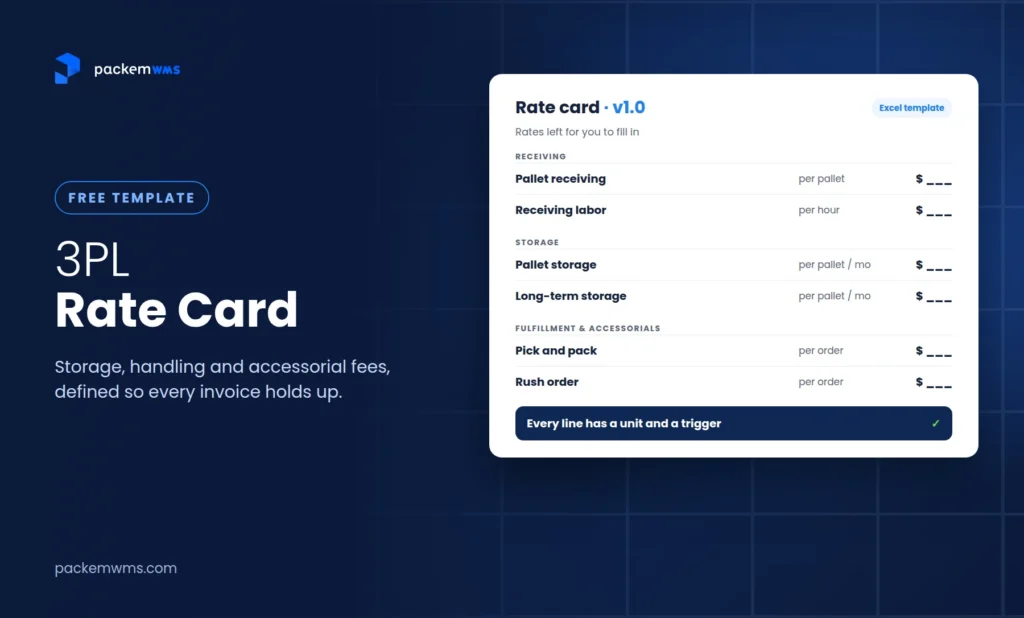
Get the free 3PL rate card template (Excel)
Four tabs: rate card, definitions, monthly invoice estimate and instructions. Enter your email and we’ll take you straight to the download.
Key Takeaways
- A complete 3PL rate card covers setup, receiving, storage, fulfillment, packaging, value-added services, returns, accessorials, shipping pass-through and a monthly minimum.
- Every line needs a unit (per pallet, per order, per hour) and a trigger (when it’s billed). Most disputes come from missing definitions, not wrong rates.
- Price from your cost to serve: labor time times your loaded labor rate, plus materials, plus margin.
- How you measure storage (daily, split-month or end-of-month) can move an invoice as much as the rate itself.
- A rate card only protects you if invoices are built from warehouse transactions, not from someone’s month-end spreadsheet.
What goes on a 3PL rate card
Here’s the full structure. The template has a row for each of these.
| Category | Typical lines | Common units |
|---|---|---|
| Setup and onboarding | Account setup, SKU setup, integration setup | One time, per SKU, per integration |
| Receiving | Container unload, pallet or carton receiving, unit counting, receiving labor, put-away | Per container, pallet, carton, unit or hour |
| Storage | Pallet, bin/shelf or cubic-foot storage; long-term storage | Per pallet, bin or cu ft per month |
| Fulfillment | Pick and pack (first item), additional items, case pick, pallet build, order processing | Per order, item, case or pallet |
| Packaging | Boxes and mailers, dunnage and inserts, custom packaging | Per unit used, per order, or pass-through |
| Value-added services | Kitting, labeling and relabeling, retail compliance labels | Per kit, unit, carton or hour |
| Returns | Returns processing, restocking, disposal | Per return, unit or pallet |
| Accessorials | Rush orders, special project labor, client-requested counts, transfers and removals | Per order, hour or occurrence |
| Shipping | Parcel postage, LTL/FTL freight | Pass-through at cost or cost plus a stated markup |
| Account | Account management or technology fee, monthly minimum | Per month |
Two rules make the difference between a card that works and one that causes arguments:
- Every line has a unit and a trigger. “Pick and pack: $2.50” isn’t enough. “Pick and pack, first item, per order, billed when the order ships” is.
- If you charge it, it’s on the card. Brands auditing invoices flag “technology fees” and “account management fees” that aren’t in the agreement. If you charge a fee, write it down. If it’s not written down, don’t charge it.
How to use the template
The rate card template has four tabs:
- Rate Card: client details, effective date, version, payment terms, monthly minimum and storage billing method at the top, then about 35 service lines grouped by category. Fill in the yellow cells. Leave a rate blank (or write N/A) for services you don’t offer.
- Definitions: the terms that prevent disputes: what counts as an order, an item, a pallet, a bin; how each storage method works; how labor hours round; how rate changes are announced. Edit the bracketed values and send this tab with every rate card.
- Monthly Estimate: enter a client’s expected monthly volumes and the sheet calculates their estimated invoice, including any monthly minimum top-up. Useful for quotes and for showing a prospect what they’ll actually pay.
- How to use: instructions and a color legend.
The template ships with no rates filled in, on purpose. Rates depend on your region, building costs, labor market, product type and volume. A number copied from someone else’s card won’t reflect your cost to serve.
How to price each line: start from cost to serve
The most reliable way to set a rate is to work out what the activity costs you, then add margin.
For labor-driven services (receiving, pick and pack, kitting, returns):
Rate = (minutes per unit ÷ 60) × loaded labor rate per hour + materials + margin
Your loaded labor rate includes wages plus payroll taxes, benefits, supervision and equipment. Time a few real tasks rather than guessing. A worked illustration (all figures made up for the example):
| Input | Illustrative value |
|---|---|
| Minutes to pick and pack a single-item order | 3 |
| Loaded labor rate | $30/hour |
| Labor cost per order | (3 ÷ 60) × $30 = $1.50 |
| Margin target | 40% of price |
| Rate | $1.50 ÷ (1 − 0.40) = $2.50 |
For storage, start from what a pallet position or shelf location costs you each month (rent, utilities, racking, insurance, divided by usable positions), then account for how full the building typically runs.
For volume tiers, lower the rate only where your cost per unit actually falls, usually pick and pack above a monthly order threshold, where batching and steady staffing make each order cheaper.
Where your rates sit against other 3PLs
Cost to serve tells you your floor. To see how your rates compare with other operators, Packem’s free 3PL Rate-Card Benchmark breaks down 4,938 anonymized rate-card line items from 3PL rate sheets into low, median and high ranges for each warehouse activity. Use it as a reality check, not a price list.
A few medians from the Q2 2026 edition:
| Activity | Median rate (Q2 2026) |
|---|---|
| Pallet storage | $15 per pallet per month |
| Put-away | $13 per pallet |
| Pallet receiving | $11 per pallet |
| Case receiving | $3 per case |
Source: Packem 3PL Rate-Card Benchmark, Q2 2026. The full report has low, median and high ranges for each activity.
For a public reference point, one 5,000 sq ft 3PL in Virginia published its full rate card on Reddit in October 2026: pick and pack at $1.75 per order ($1.50 above 1,000 orders a month) plus $0.25 per extra item, $15 per pallet per month for storage, and no setup fee or monthly minimum. That’s one operator’s model for small e-commerce and Amazon prep clients, not a standard.
Billing method matters as much as the rate
Two 3PLs can quote the same warehouse storage fees and send very different invoices, because they measure storage differently. Decide your method, write it on the card, and make sure your system bills it that way.
| Storage method | How it works | Best for |
|---|---|---|
| Daily | Charged for each day inventory is in the building, totaled monthly | Fast-turning inventory; the fairest to clients |
| Split-month | Inventory received after the 15th pays half the month | A simple middle ground |
| End-of-month | Charged on inventory on hand at month end, for the full month | Stable, slow-moving inventory; easiest to explain |
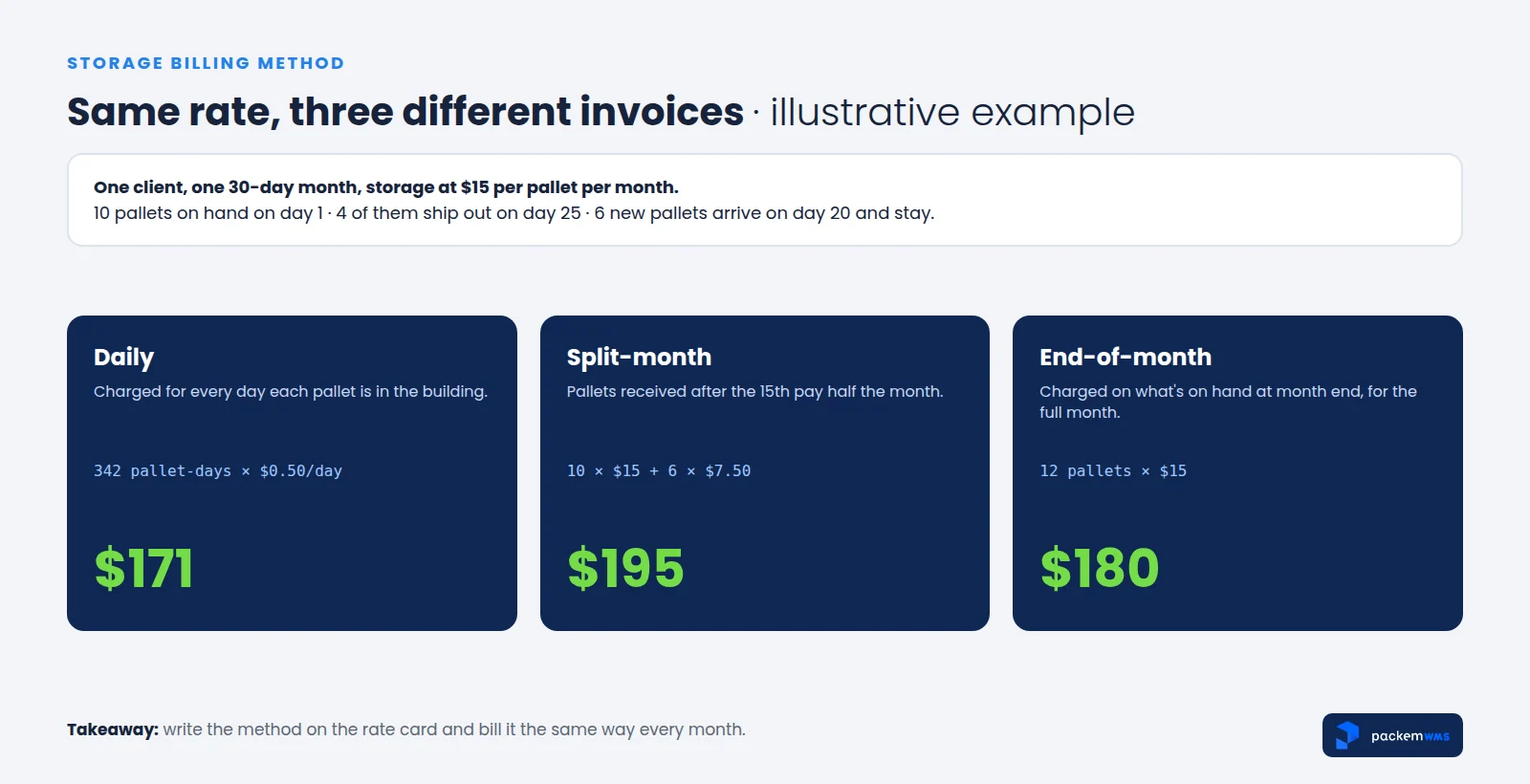
Brands auditing their invoices specifically look for storage billed on a peak or day-one count when inventory dropped during the month. Whatever method you use, it should be written down and applied the same way every month.
The unit matters too. One 3PL owner shared on Reddit that a prospective client with 70 SKUs walked away because per-bin storage made the total look too high. Cubic-foot or per-pallet pricing might have told a different story for the same space. Before you quote, run the client’s actual SKU count and inventory profile through the Monthly Estimate tab under more than one unit.
The same goes for picks. “Per order” and “per item” pricing behave very differently for a client whose orders average five items. State which one applies, and price the additional item separately.
Accessorials most 3PLs forget to charge
Accessorial fees are charges for work outside standard receiving, storage and fulfillment. They’re where small 3PLs leak the most money, because the work happens but nobody writes it down. Check your card for these:
- Receiving labor for mixed, unlabeled or no-ASN inbound shipments, billed by the hour
- Long-term storage for inventory sitting past an age threshold you set
- Rush orders shipped after cutoff
- Special or custom packaging the client requests
- Labeling and relabeling, including FNSKU and retail compliance labels
- Returns restocking and disposal, not just returns processing
- Client-requested cycle counts outside your normal counting schedule
- Inventory transfers and removals when stock leaves at the client’s request
- Special project labor for anything else, in 15-minute increments
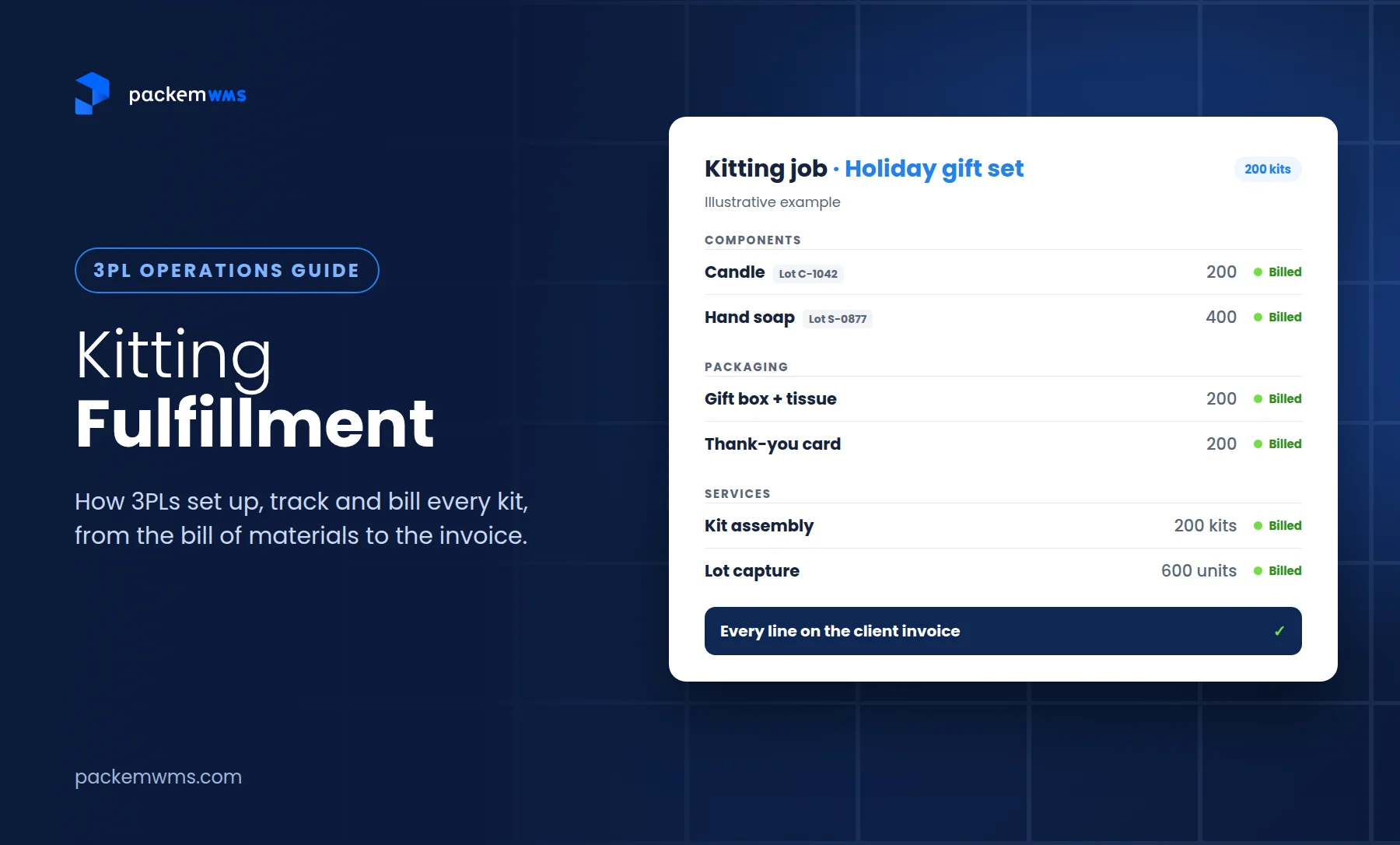
- Kitting, with components and packaging billed separately (see our guide to kitting fulfillment)
The rule is the same as for every other line: if you’d charge for it, put it on the card before the client asks.
Monthly minimums and volume tiers
A monthly minimum protects you from clients who take up account setup, storage space and staff attention but ship very little. If the month’s charges (usually excluding postage and freight) fall below the minimum, the client pays the difference. The Monthly Estimate tab calculates this top-up automatically.
Some guidelines:
- Set the minimum from the fixed cost of keeping a client active: account management, system costs, the space you reserve, and the work you put into client onboarding.
- Review it every year. Your costs rise even when your rate card doesn’t.
- Waive or phase it in deliberately, for example for the first 90 days of a client you expect to grow, and put the end date in writing.
Volume tiers reward growth without discounting everyone. Tie them to a clear monthly threshold, apply them to the services where scale lowers your cost, and say whether the tier applies to all units or only those above the threshold.
Make your rate card audit-proof
Brands are reconciling invoices against rate cards more than ever. Common complaints in those audits include rates that changed mid-contract without an amendment, fees not in the agreement, order counts that don’t match the store, cancelled orders billed as picks, and storage billed above actual inventory. Each is preventable:
- Version and date every card. Any rate change gets a new version, an effective date and written notice (the template’s Definitions tab includes a notice period to fill in).
- Define every unit. What’s a pallet (size, height), a bin, an order, a pick? The Definitions tab covers these.
- Tie every invoice line to a transaction. Each charge should trace back to a shipped order, a receipt, a storage count or a work order the client can see.
- Send the detail, not just the total. A detailed billing report with every invoice ends most disputes before they start.
For the mechanics of catching billing errors, see how to eliminate 3PL billing errors.
From rate card to invoice
A rate card in a spreadsheet is a good start. The problems begin when invoices are also built in a spreadsheet, from pick tickets, packing notes and memory.
That was the situation for one of our 3PL clients, which runs three facilities in New Jersey and Texas. An internal audit showed they were losing thousands of dollars to misbilling. They relied on outdated, manual systems to charge for picks, packaging, pallets and ad hoc work, so charges were missed or entered wrong. With Packem, all of those charges are captured automatically from warehouse activity, and they send each client a detailed billing report with the invoice.
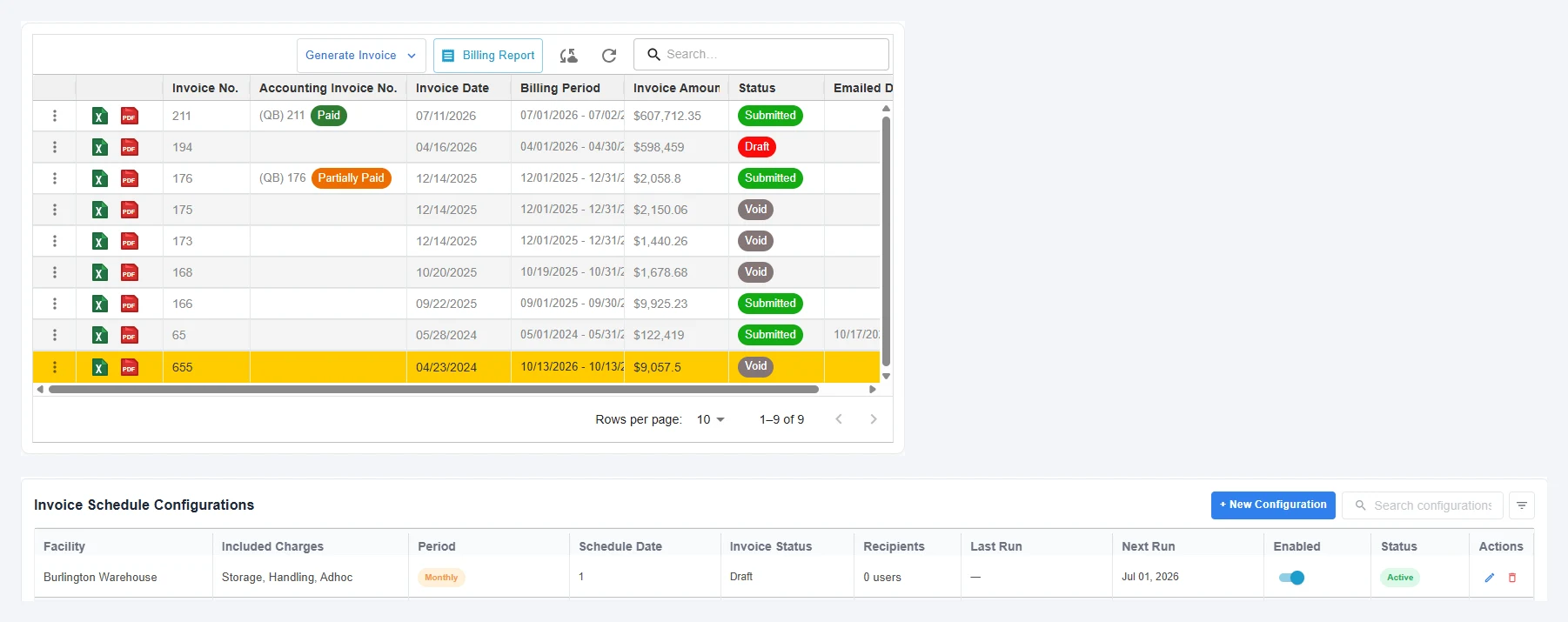
Here’s what that looks like in Packem. Invoices are generated from the rate card on a schedule (this facility runs a monthly invoice covering storage, handling and ad hoc charges), each one exports to Excel or PDF with a detailed billing report, and payment status syncs back from QuickBooks.
Here’s how Packem handles rate cards:
- A base rate card with per-client overrides, so you maintain one standard card and adjust only what’s negotiated
- Every unit you’d use: per pallet, bin, cubic foot, order, item and hour
- Volume tiers and monthly minimums built in
- Configurable storage billing: daily, split-month, or full month at month end
- Import from a spreadsheet, so your existing rate card (or this template) becomes your billing setup
- Charges captured from warehouse transactions, with a detailed report behind every invoice
See Packem’s invoicing and billing features, or read our guides to 3PL billing software and 3PL billing automation.
Frequently asked questions
What is a 3PL rate card?
A 3PL rate card is the price list a third-party logistics warehouse gives a client. It lists each service (receiving, storage, pick and pack, packaging, returns, value-added services and accessorials), the unit it’s billed by, the rate, and when the charge applies. It’s also the document invoices are checked against.
What fees should a 3PL charge?
Most 3PLs charge for setup and onboarding, receiving, storage, pick and pack, packaging, returns, value-added services like kitting and labeling, and accessorials such as rush orders or special project labor. Shipping is usually passed through at cost or with a stated markup, and many 3PLs add a monthly minimum.
How much should a 3PL charge for pick and pack?
Price pick and pack from your cost to serve: the minutes per order times your loaded labor rate, plus packaging and margin. Rates vary by region, order profile and volume. Benchmarks like Packem’s free 3PL Rate-Card Benchmark show where other operators’ rates fall, but your own labor time and costs should set your floor.
How do 3PLs charge for storage?
3PLs typically charge per pallet, per bin or shelf location, or per cubic foot, per month. They also choose how to measure it: daily, split-month (half the month for inventory arriving mid-month) or based on inventory on hand at month end. The method should be written on the rate card.
What is a 3PL monthly minimum?
A monthly minimum is the lowest amount a client pays each month. If their total charges, usually excluding postage and freight, fall below it, they pay the difference. It covers the fixed cost of keeping a client active, like account management, system costs and reserved space.
How often should a 3PL update its rate card?
Review it at least once a year and whenever your costs change significantly. Give every change a new version number and effective date, and give clients written notice according to your agreement.
Build the card, then let the system bill it
A clear rate card wins deals because prospects can see what they’ll pay, and it protects margin because every service you perform has a price. The hard part is billing to it accurately every month.
This week: download the template and fill it in from your current agreements. Note every service you perform that isn’t on the card. This month: compare one client’s last invoice line by line against the card, and see what was missed.
If you’d like to see per-client rate cards, configurable storage billing and automatic charge capture in action, book a 30-minute Packem demo. Bring your rate card and we’ll load it.